

How do I create a new workspace?

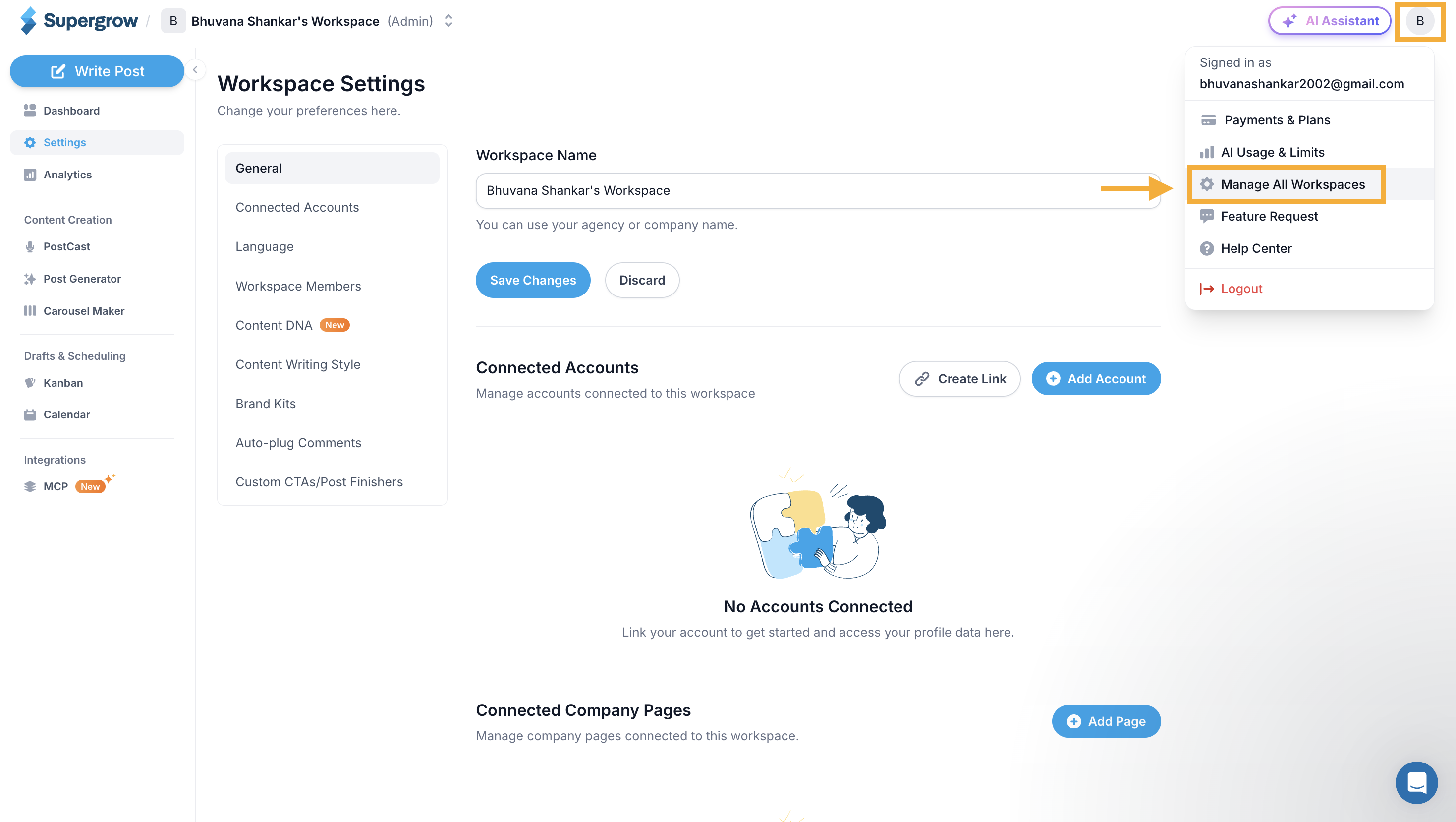
  1. Locate the workspace dropdown: Look for the workspace dropdown menu, which is located in the top right corner of your screen.
    Screenshot+2026-04-09+at+5_55_59%E2%80%AFPM.png?expires=1793013300&signature=be8a90aed6221948be81288242ec8e026ee73d10191f39177f73f378909e9735&req=diIiFct%2Bn4RfXPMW1HO4zVS6GYguwcGBFos2mmC3riTzQBeIrP3f0%2Fd%2B7IOT%0A4312%0A
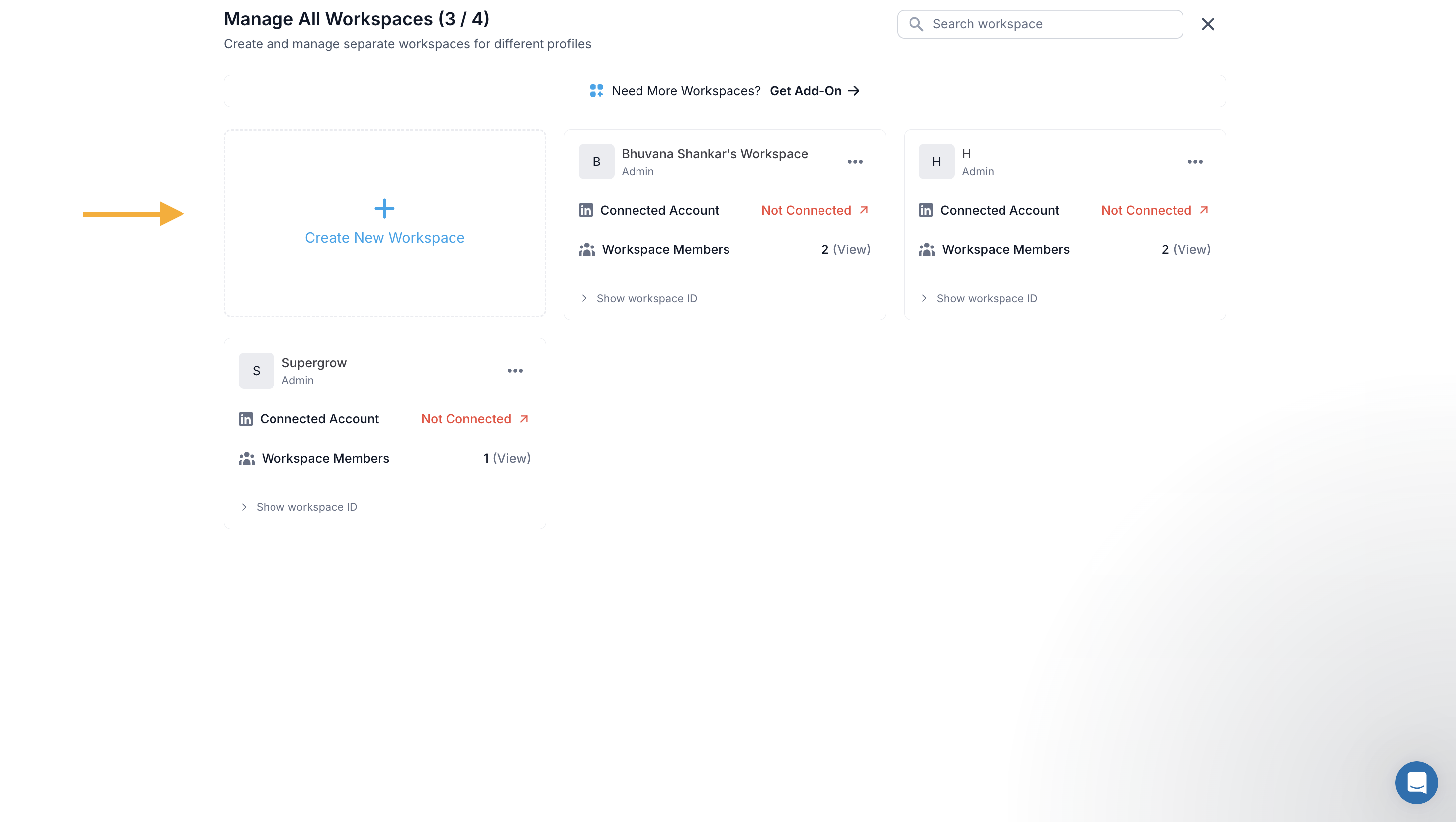
  2. Create a New Workspace: Click the "+ Create New Workspace" tile on the left side of the workspace manager.
    Screenshot+2026-04-09+at+5_58_22%E2%80%AFPM.png?expires=1793013300&signature=844130465f1c1df49e1dbbe170ac2000bab444fd1980e83eae330db93ad8f5ee&req=diIiFct%2BlYFcUPMW1HO4zSKLcWuZy3yndWqyrJ0jROBX6od5xep4ljNpk0sY%0A8Z3a%0A
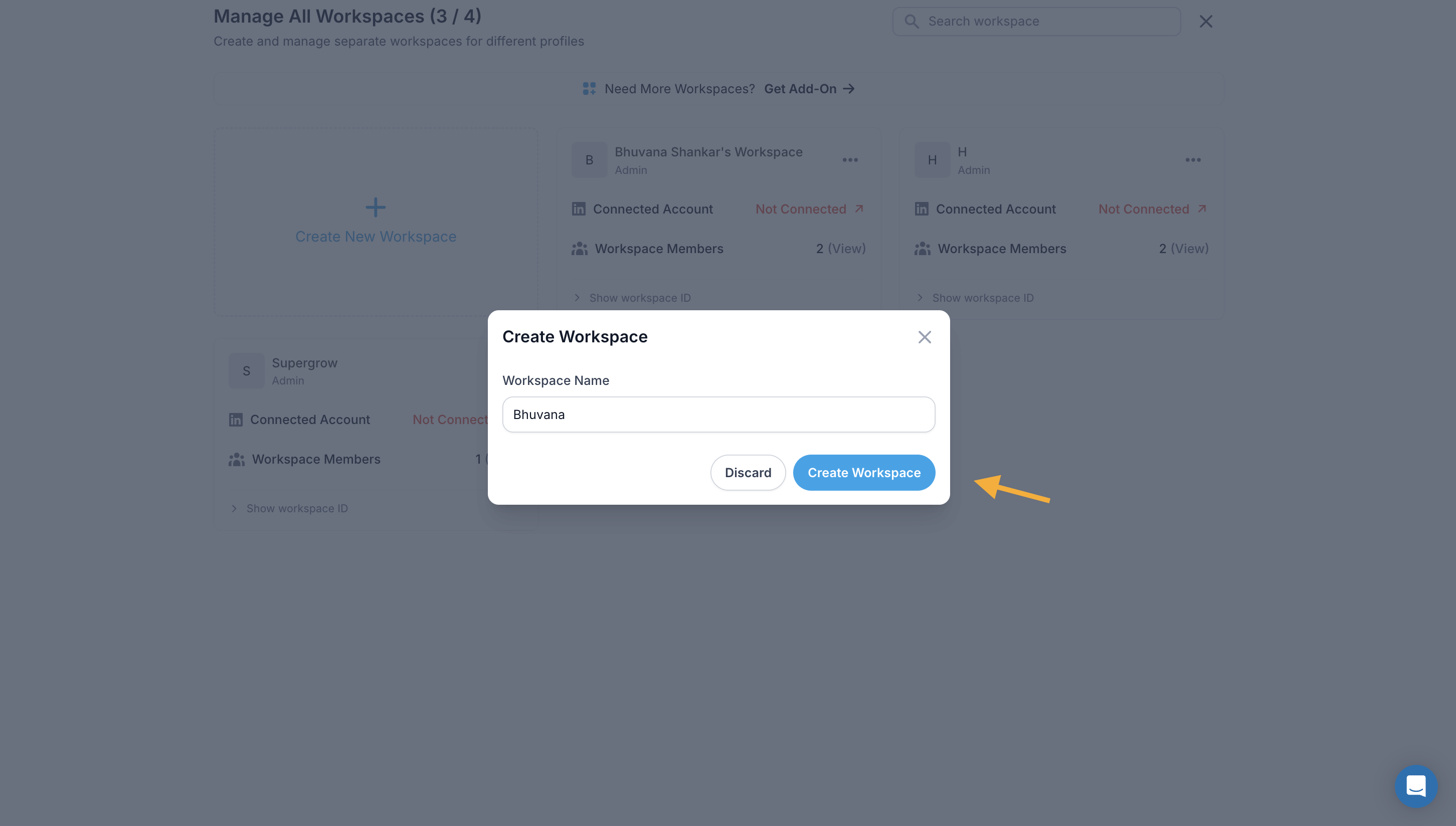
  3. Name Your Workspace: A "Create Workspace" modal will appear. Enter a meaningful workspace name in the "Workspace Name" field, then click "Create Workspace". (Click "Discard" to cancel.)
    Screenshot+2026-04-09+at+6_03_02%E2%80%AFPM.png?expires=1793013300&signature=0f211d8ab620221a52ac3b2247481b2b502634aa19655f9ea19f41db7bab95c8&req=diIiFct8noNdUPMW1HO4zcuwhDXA44sIt3BZGebnLDOJJvYNn%2B7faQCpbTXm%0AmmzC%0A
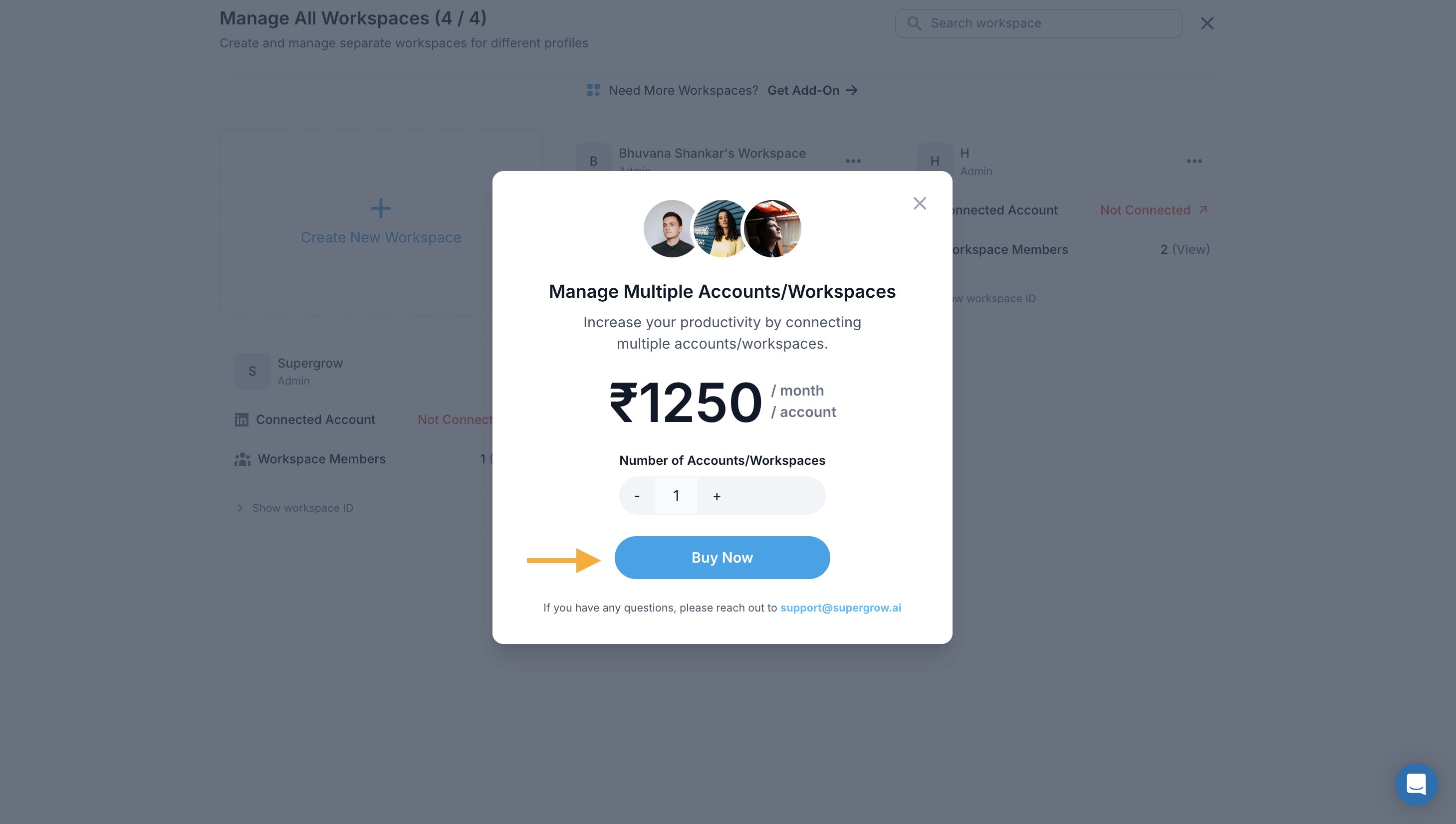
  4. Upgrade if Needed: If you've reached your workspace limit, a paywall modal will appear, "Manage Multiple Accounts/Workspaces" prompting you to purchase additional workspace slots at ₹13.50/month per account. Select the number of accounts/workspaces and click "Buy Now" to proceed.
    Screenshot+2026-04-09+at+6_05_23%E2%80%AFPM.png?expires=1793013300&signature=b3ca027287ccab9947af63fb7a805124794be5b9a69ebc696606a783abd3669d&req=diIiFct9noZfUfMW1HO4zUn8glK69ZLiNQcwgXf7tuZOkwVHIJUxqNb4KWM7%0A%2BCJZ%0A
  5. Workspace Ready: Once created, your new workspace will appear in the manager. You can then connect a LinkedIn account and invite team members or clients as needed.


​

Was this helpful?