

How Can I Download a Carousel?
Overview
You can download your Supergrow carousel in two formats: as a PDF file or as individual images. This allows you to use your carousel across different platforms or save it for offline use.
Step-by-Step Guide
Step 1: Create Your Carousel
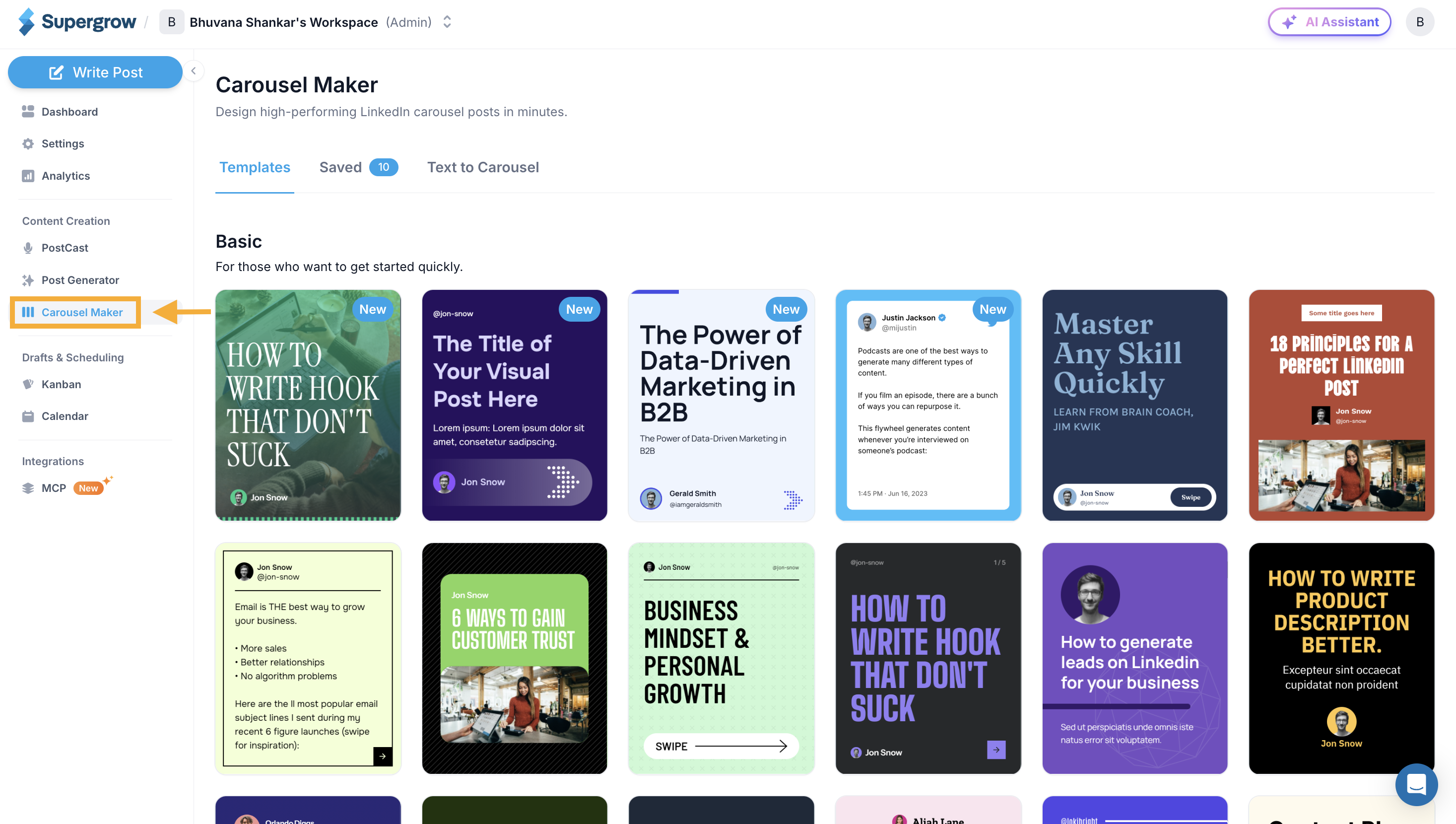
Navigate to Carousel Maker in the left sidebar
Design and customize your carousel using any method:
Text to Carousel (AI-generated)
Templates
Manual creation
Step 2: Complete Your Design
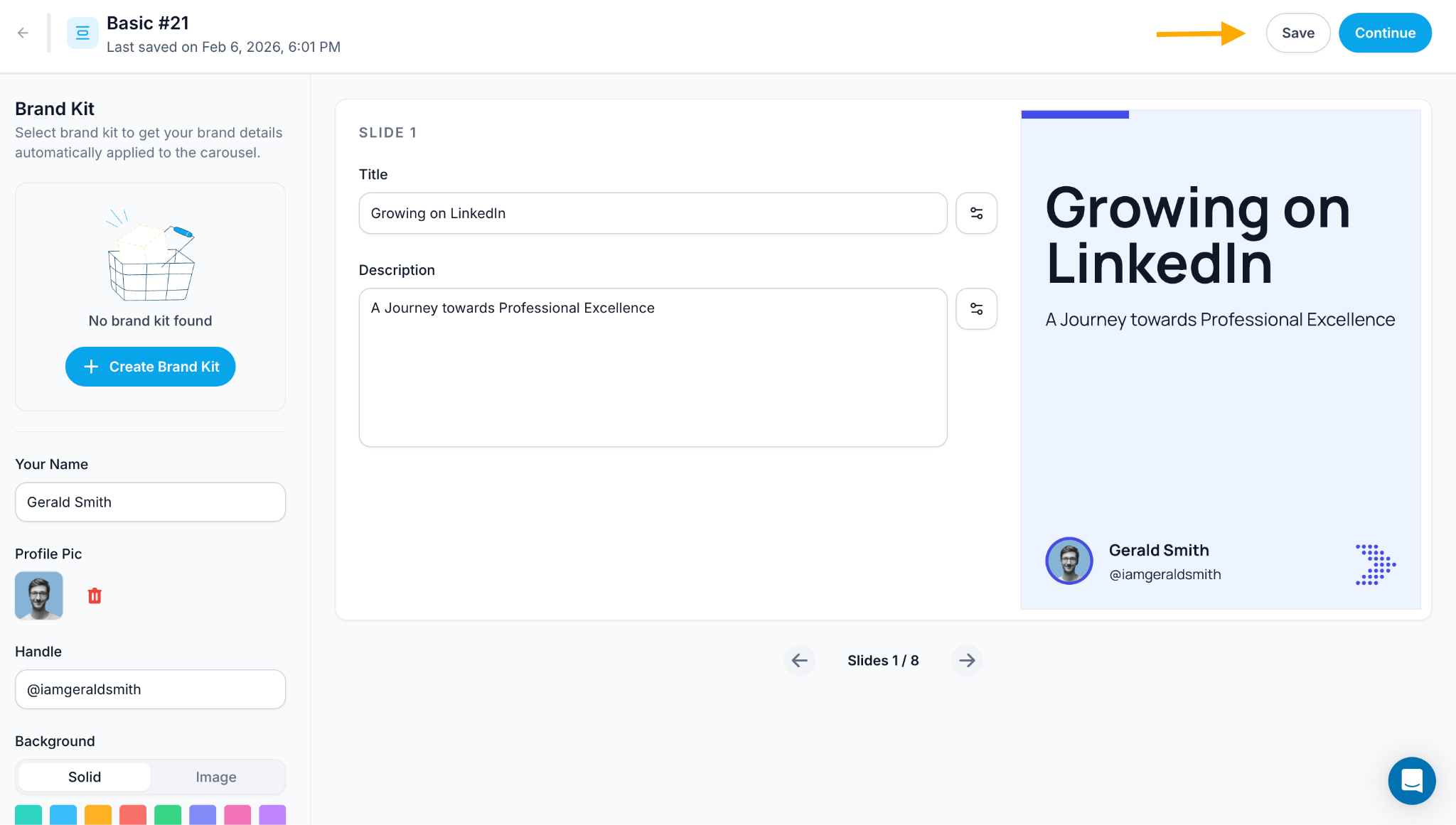
Edit all slides with your content
Customize branding elements (name, profile pic, handle, background)
Review each slide to ensure everything looks perfect
Step 3: Preview Your Carousel
Click the Continue button in the top right corner
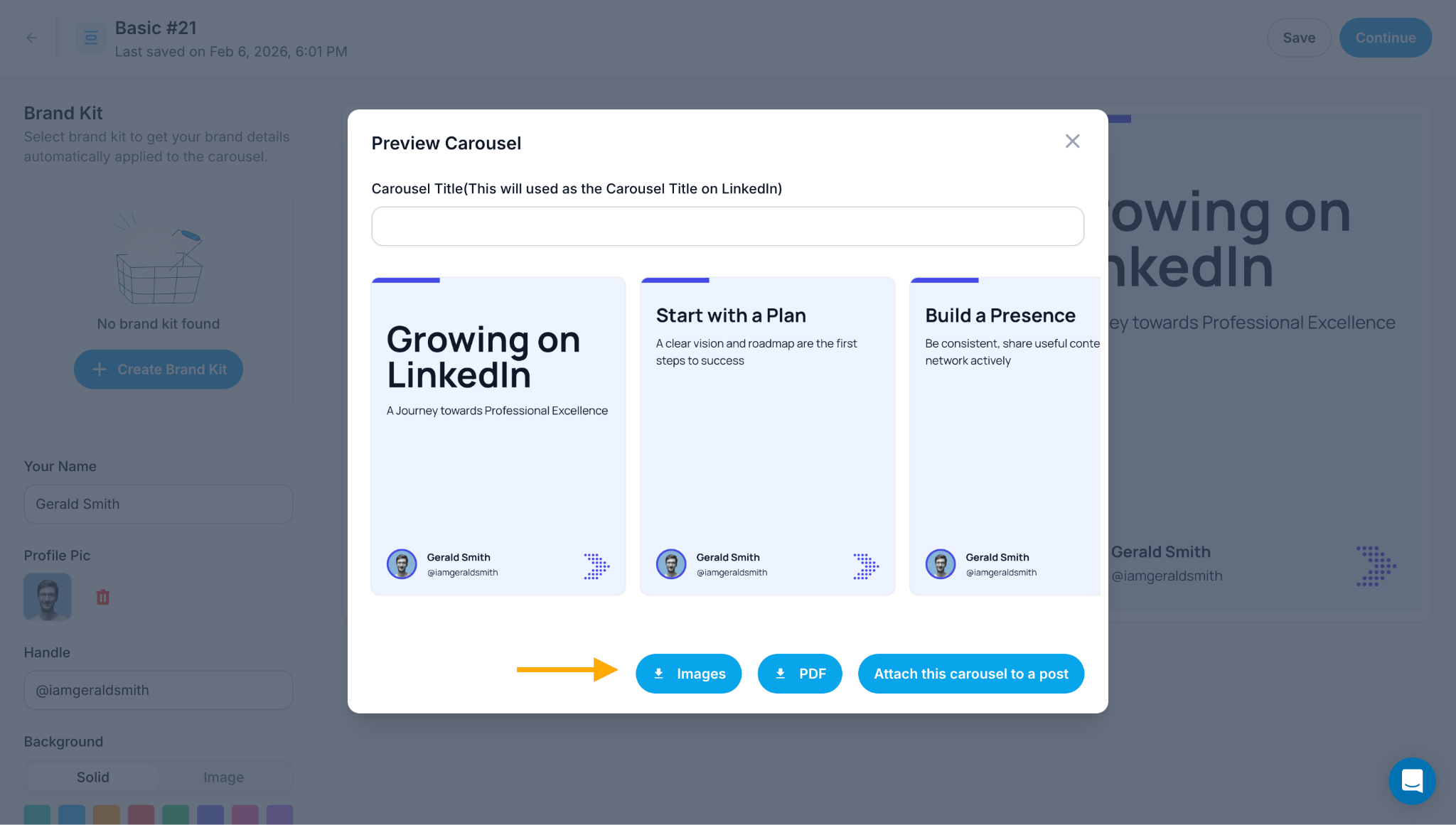
A "Preview Carousel" popup will appear
Add a Carousel Title in the text field (this will be used as the title on LinkedIn)
Review the preview of your carousel slides
Step 4: Choose Download Format
In the preview popup, you'll see three download options at the bottom:
Images - Download carousel as individual image files (PNG/JPG)
PDF - Download carousel as a single PDF document
Attach this carousel to a post - Continue to publish directly on LinkedIn
Step 5: Download Your Carousel
Click either Images or PDF button based on your preference
The download will start automatically
Your carousel will be saved to your device in the selected format
Success! Your carousel is now downloaded and ready to use.