

How to Download Your Invoices?
Overview
You can easily download invoices or payment receipts for your Supergrow account by following these simple steps.
Step-by-Step Guide
Method 1: From Your Profile Menu
Click on your profile icon in the top right corner
Select Payments & Plans from the dropdown menu
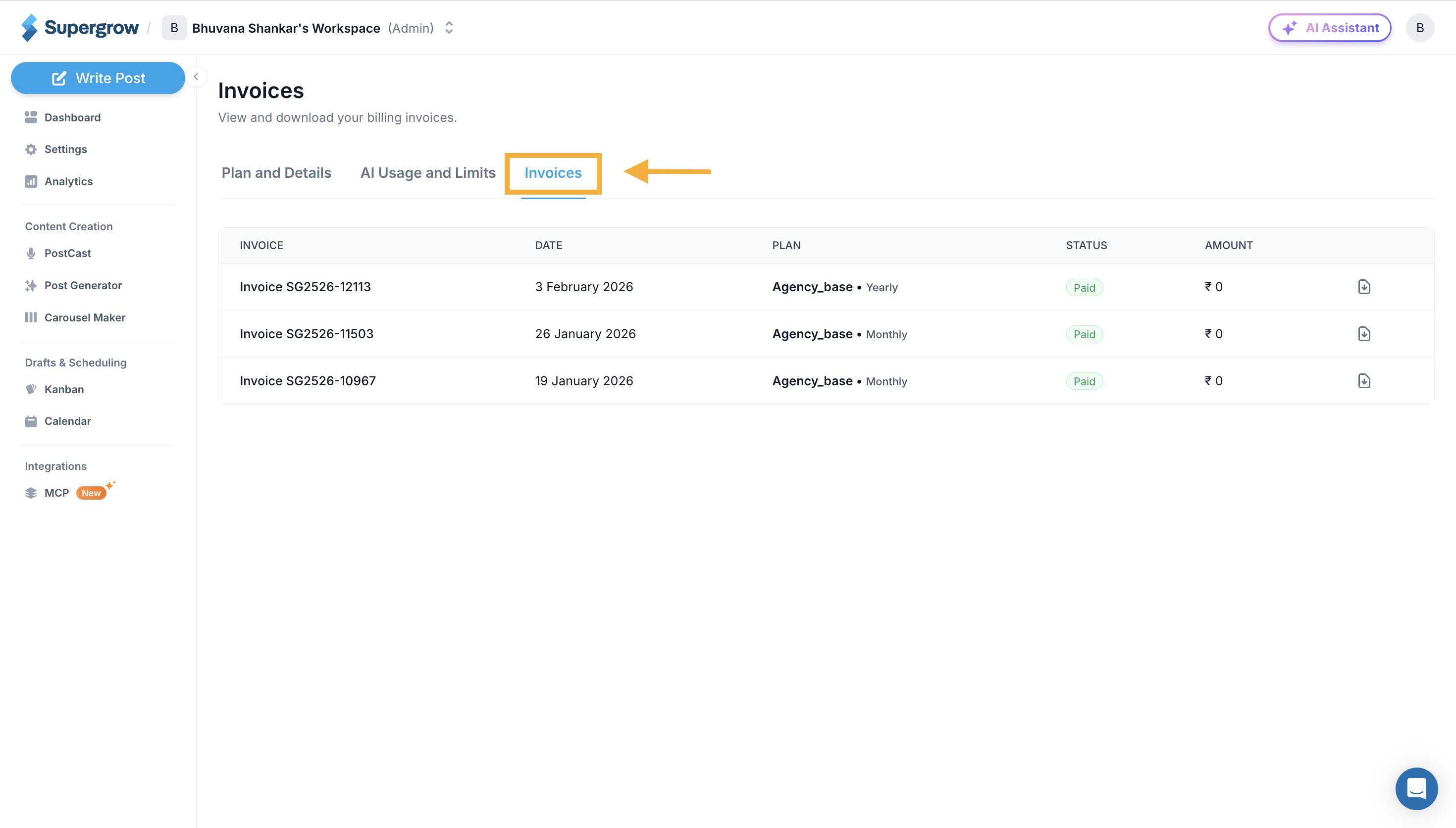
Navigate to the Invoices tab
You'll see a list of all your invoices with date, plan, status, and amount
Click the download icon next to any invoice to save it as a PDF
Method 2: Direct Link
If you don't have an active plan or prefer direct access:
View and download all your invoices from this page
Need Help?
If you face any issues downloading your invoices, please reach out to our live chat support for assistance.
Was this helpful?