

Getting started with Analytics
Overview
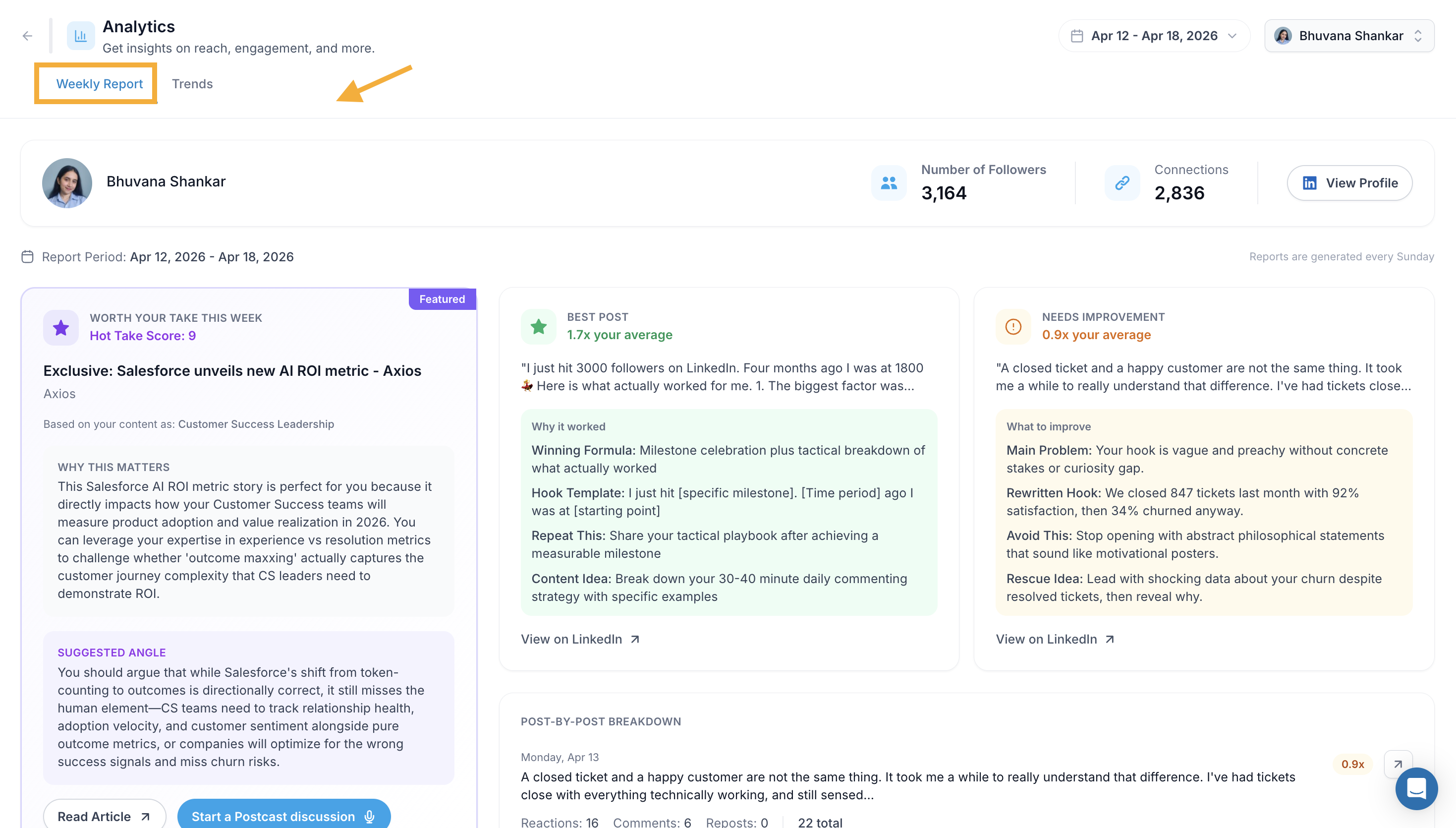
The Analytics page gives you a personal view of your LinkedIn performance. You can track your followers, impressions, engagement, and see a breakdown of how each post performed. It has two tabs, Weekly Report and Trends each giving you a different perspective on your growth.
What You Can See on Your Analytics Page
Your LinkedIn follower count and connections
A weekly report with your best post, a post that needs improvement, and a content recommendation
A week-by-week breakdown of all your posts
Follower growth and impression trends over time
Engagement breakdown by reactions, comments, and reposts
Individual post performance in a detailed table
1. Access Your Analytics Page
Step 1: Click Analytics from the left sidebar
Step 2: The page loads on the Weekly Report tab by default, showing your most recent week's data.
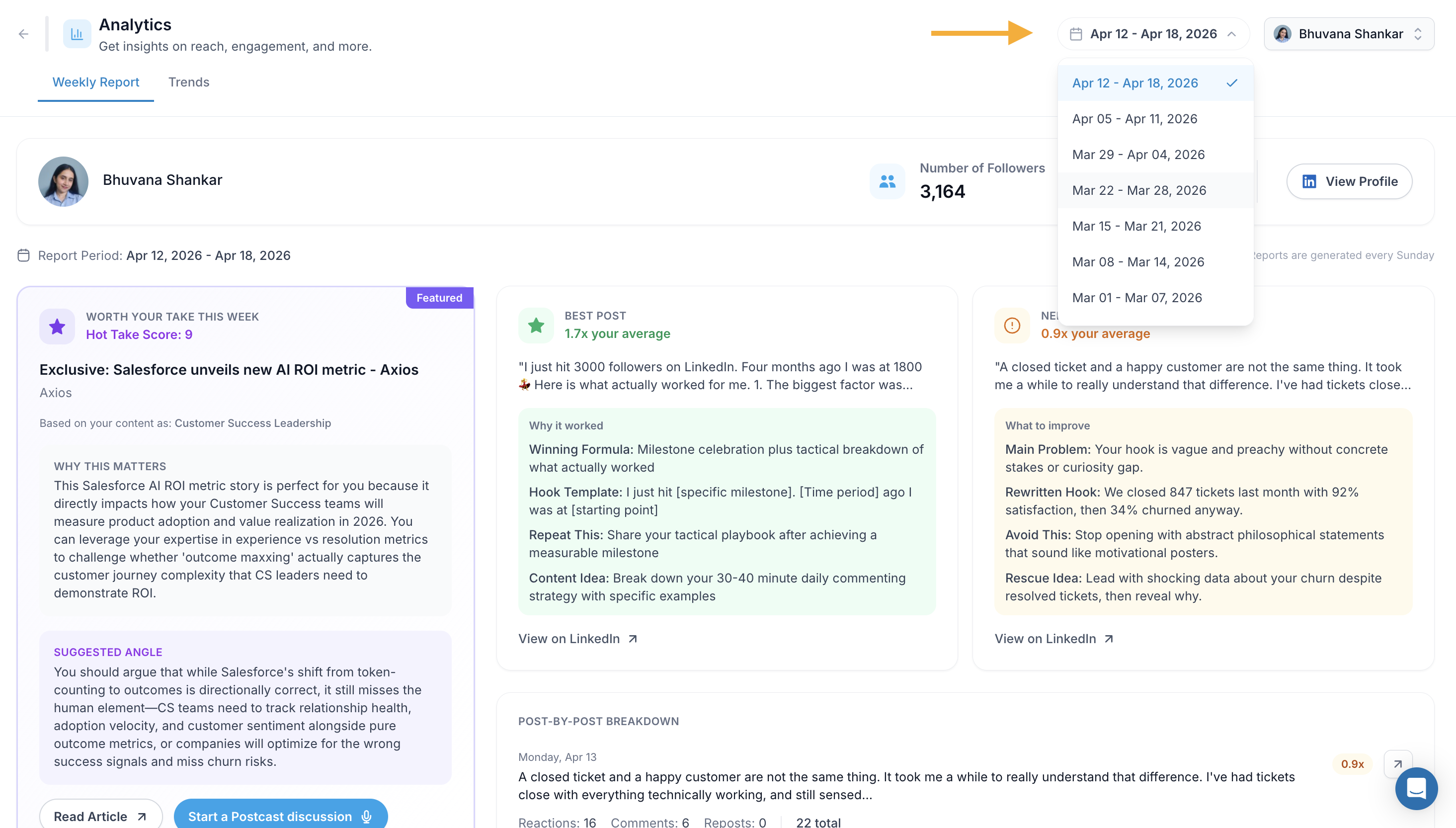
Step 3: Click the date dropdown in the top right to switch between weekly report periods.
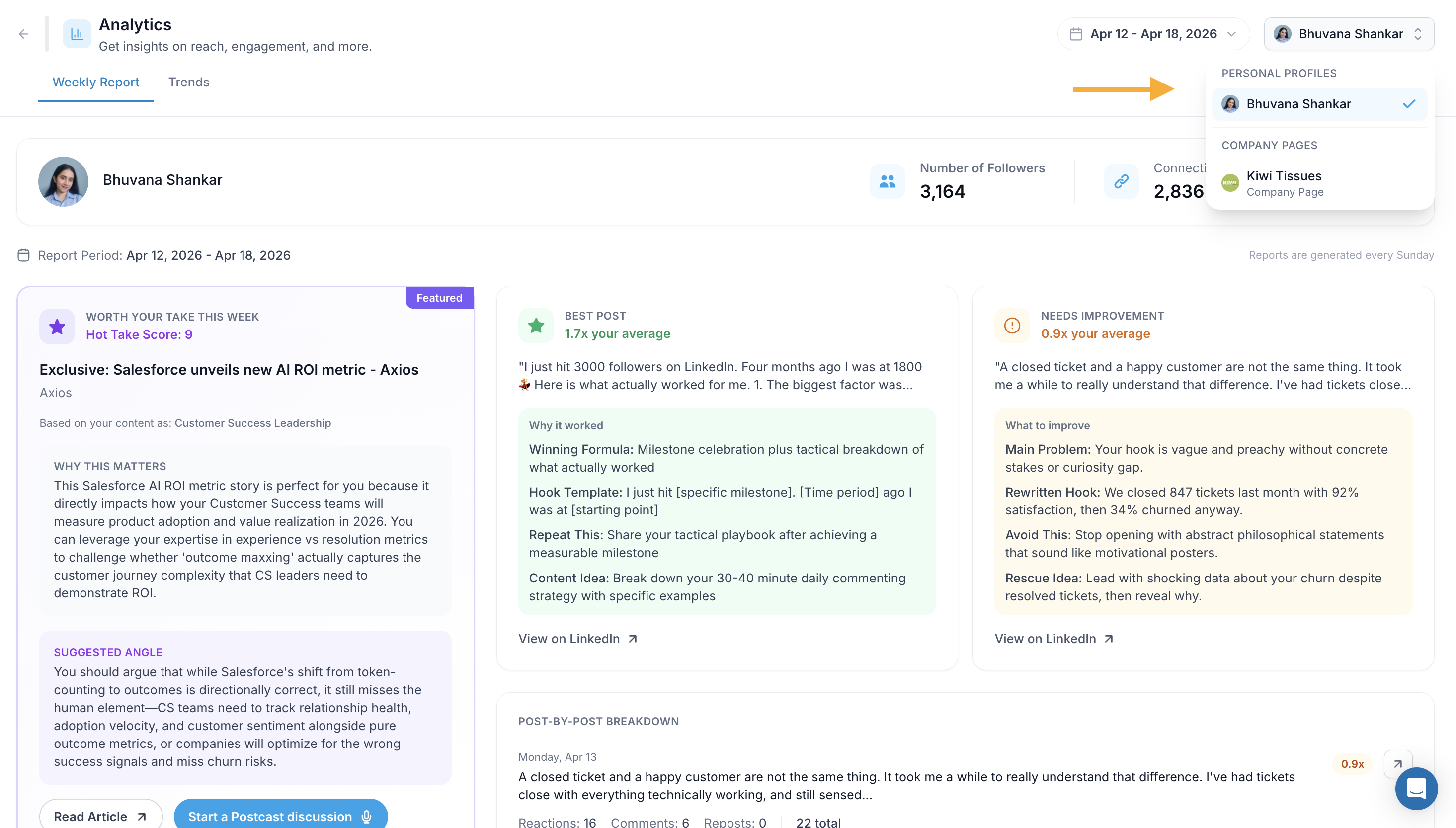
Step 4: Click the profile dropdown next to the date to switch between your Personal Profile and any connected Company Pages.
2. Navigate Between Weekly Report Periods
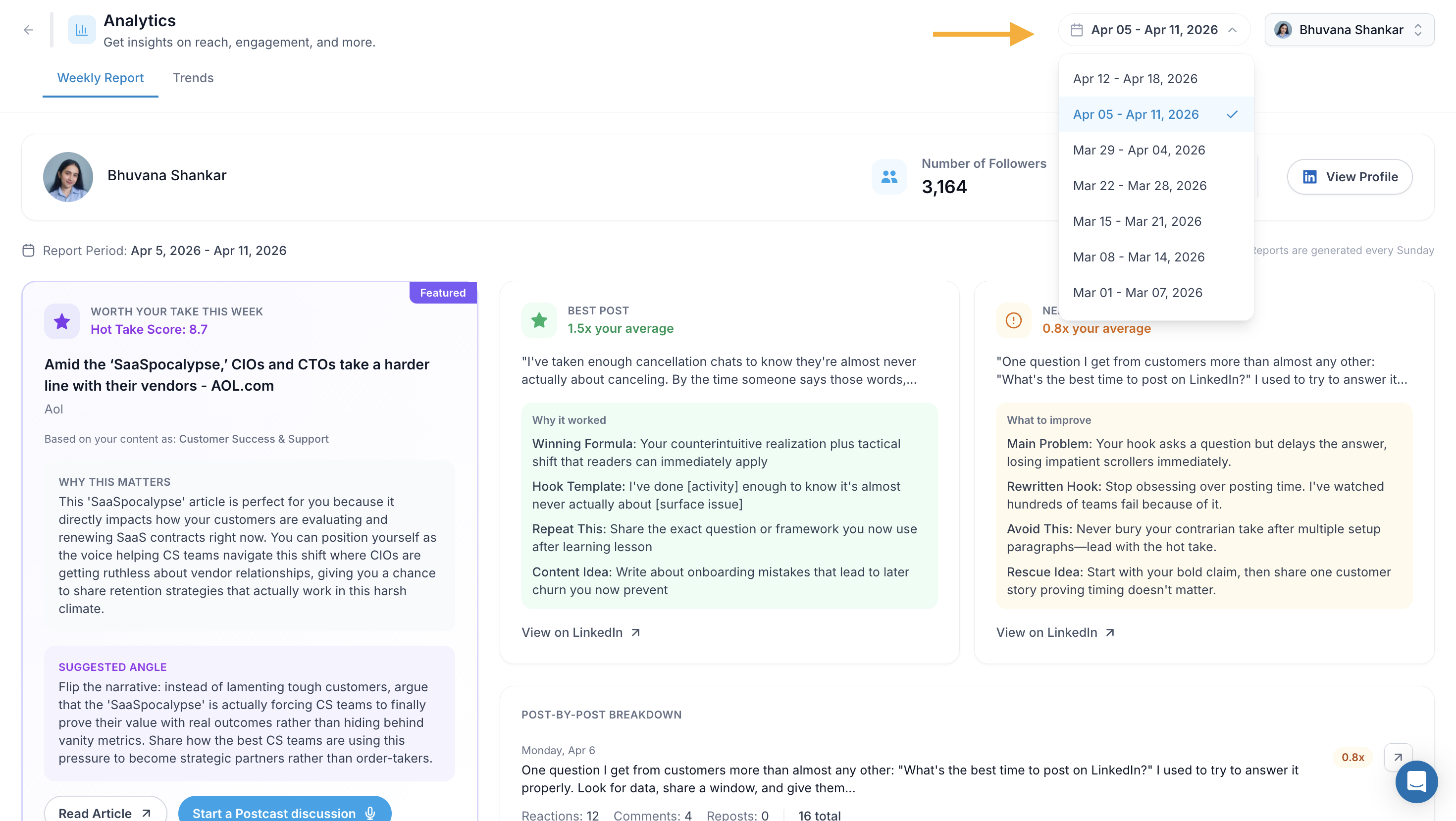
Step 1: Click the date range dropdown in the top right (e.g. Apr 12 – Apr 18, 2026).
Step 2: Select any previous week from the list to view that period's report.
Reports are generated every Sunday and cover the previous week (Monday to Sunday).
3. Read Your Weekly Report
The Weekly Report tab gives you three sections side by side:
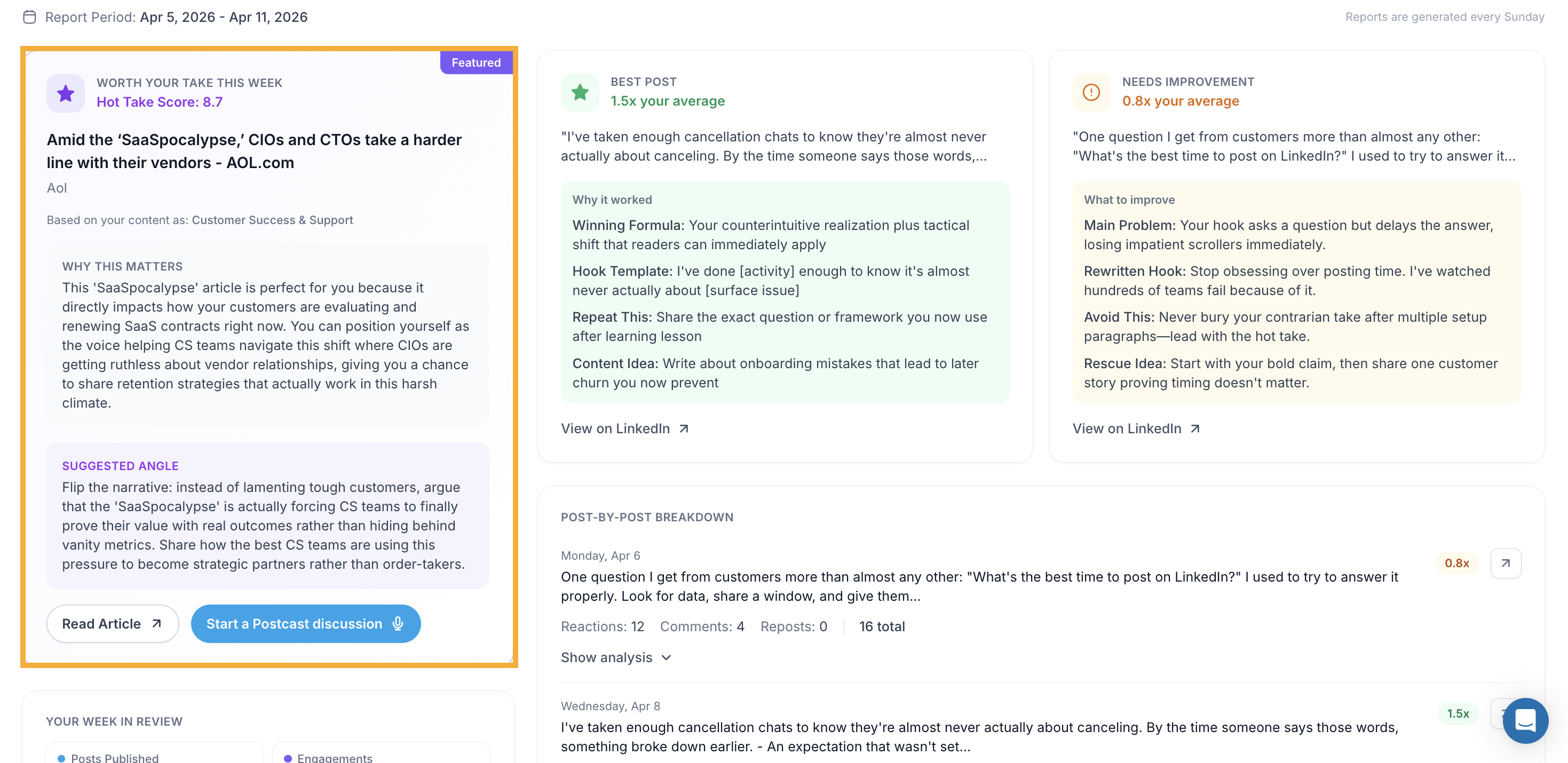
Worth Your Take This Week (Featured)
A curated article relevant to your content niche, with a Hot Take Score out of 10. It explains why the article matters to you specifically and suggests an angle you can take to create a post around it. Click Read Article to open it or Start a Postcast
Discussion to record a content interview on the topic.
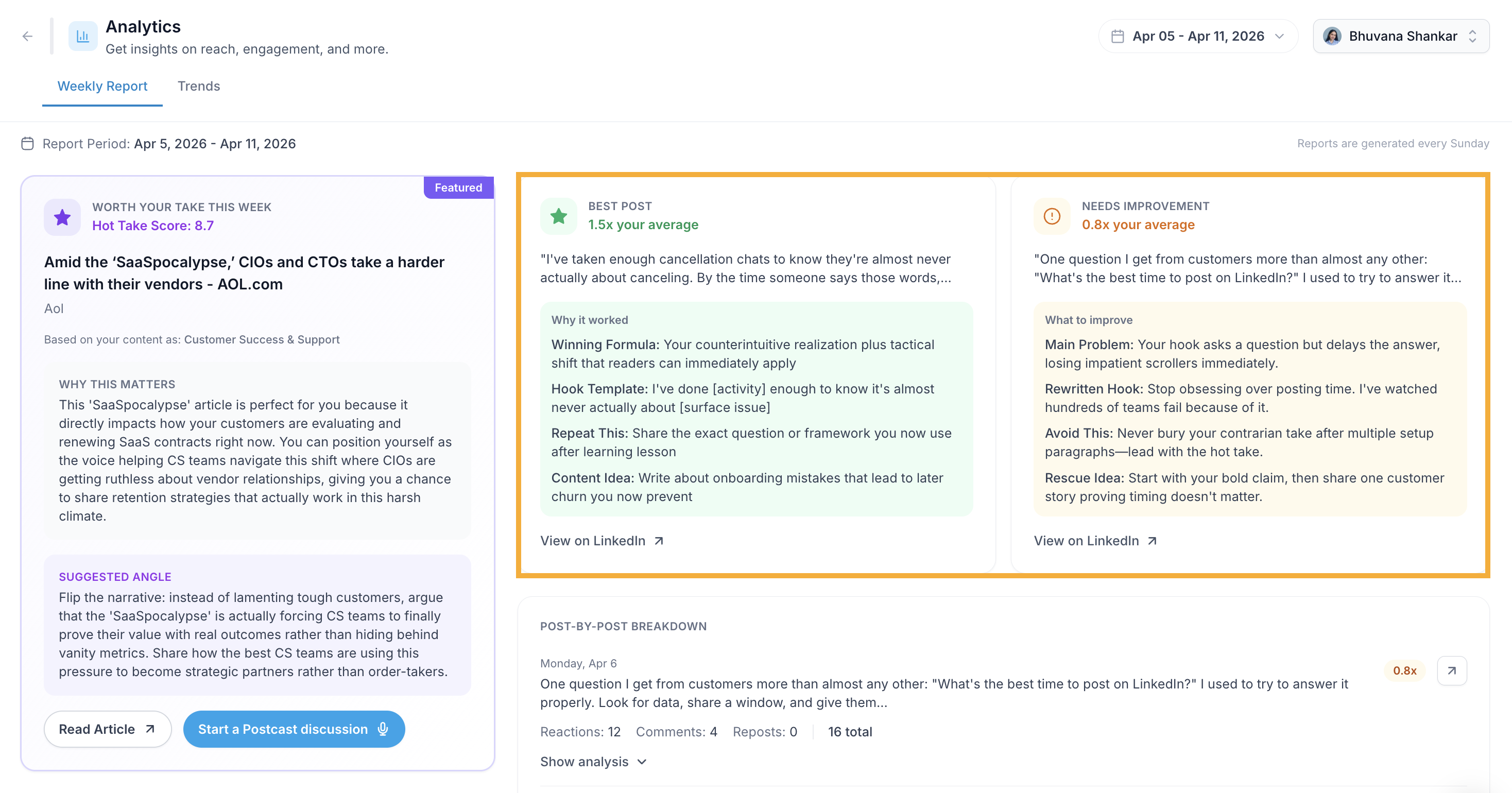
Best Post
Your top performing post for the week, shown with an engagement multiplier (e.g. 1.7x your average). It includes:
Winning Formula : What made the post work
Hook Template : The opening pattern you can reuse
Repeat This : How to replicate the success
Content Idea : A follow-up post idea based on this format
Click View on LinkedIn to see the post.
Needs Improvement
Your lowest performing post for the week, shown with its engagement multiplier. It includes:
Main Problem : What held the post back
Rewritten Hook : A stronger opening you could have used
Avoid This : The pattern to stop using
Rescue Idea : How to repurpose or reframe the post
Click View on LinkedIn to see the post.
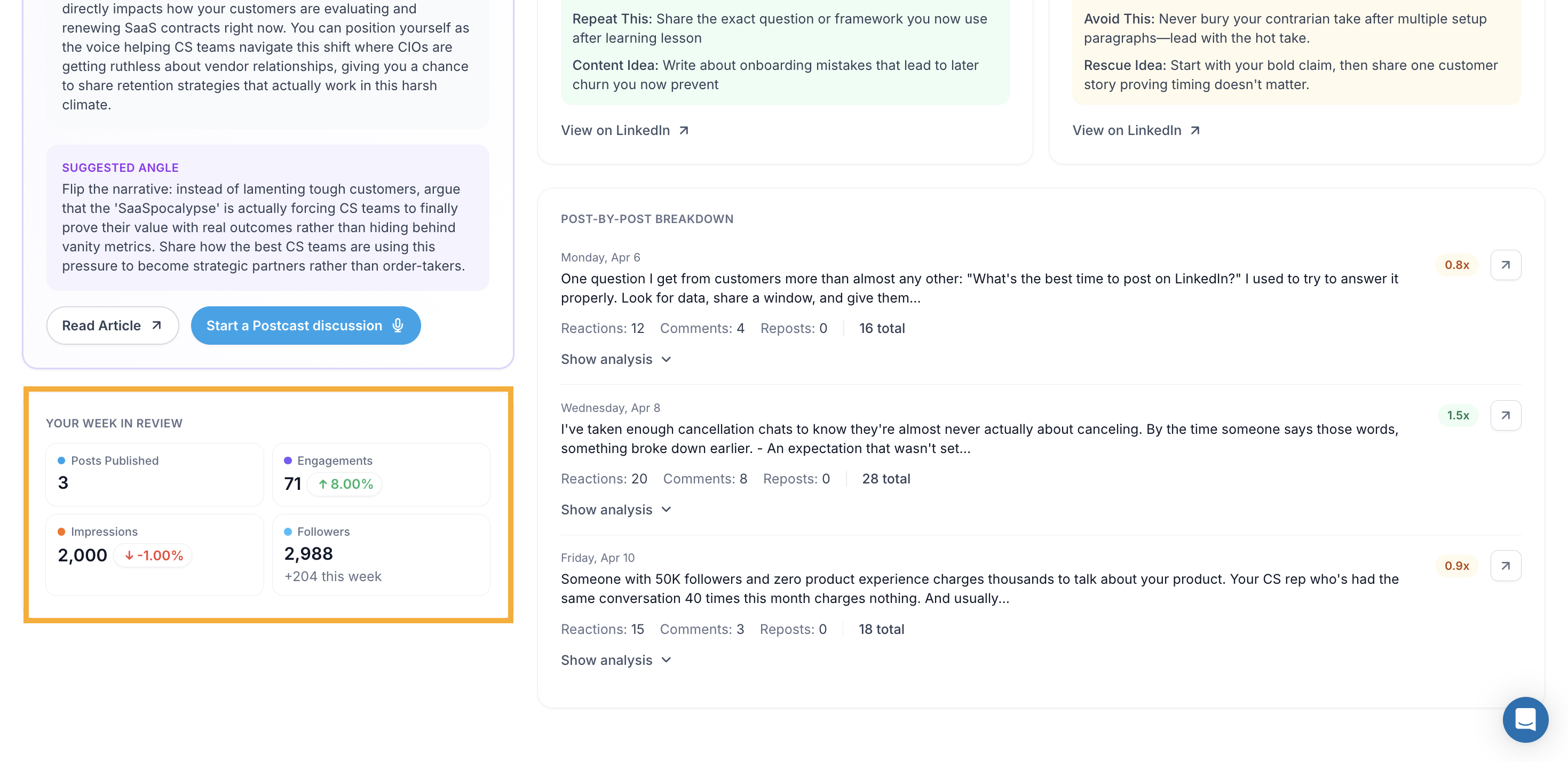
4. View Your Week in Review
Step 1: Scroll down on the Weekly Report tab to see Your Week in Review.
Step 2: You'll see a summary of the selected week:
Posts Published : Total posts you published that week
Engagements : Total engagements and percentage change vs the previous week
Impressions : Total impressions and percentage change
Followers : Your current follower count and net new followers that week
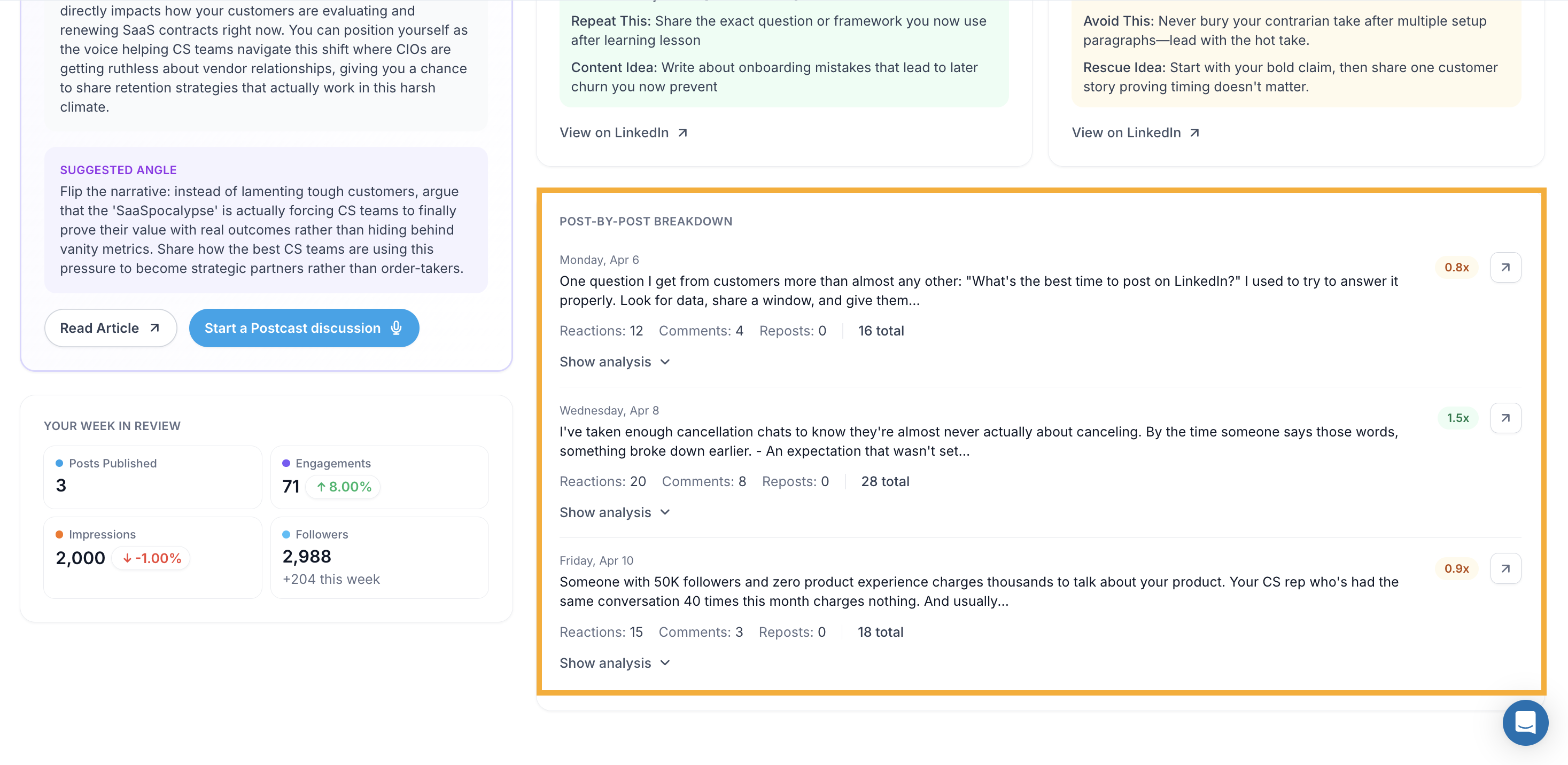
5. View Post-by-Post Breakdown
Step 1: Scroll down to the Post-by-Post Breakdown section on the Weekly Report tab.
Step 2: Each post is listed with its date, a preview of the text, and total engagement count.
Step 3: You'll also see an engagement multiplier next to each post (e.g. 1.7x, 0.9x) showing how it performed relative to your average.
Step 4: Click Show analysis under any post to see a detailed breakdown of what worked or what could be improved.
Step 5: Click the arrow icon next to any post to view it directly on LinkedIn.
6. View Trends
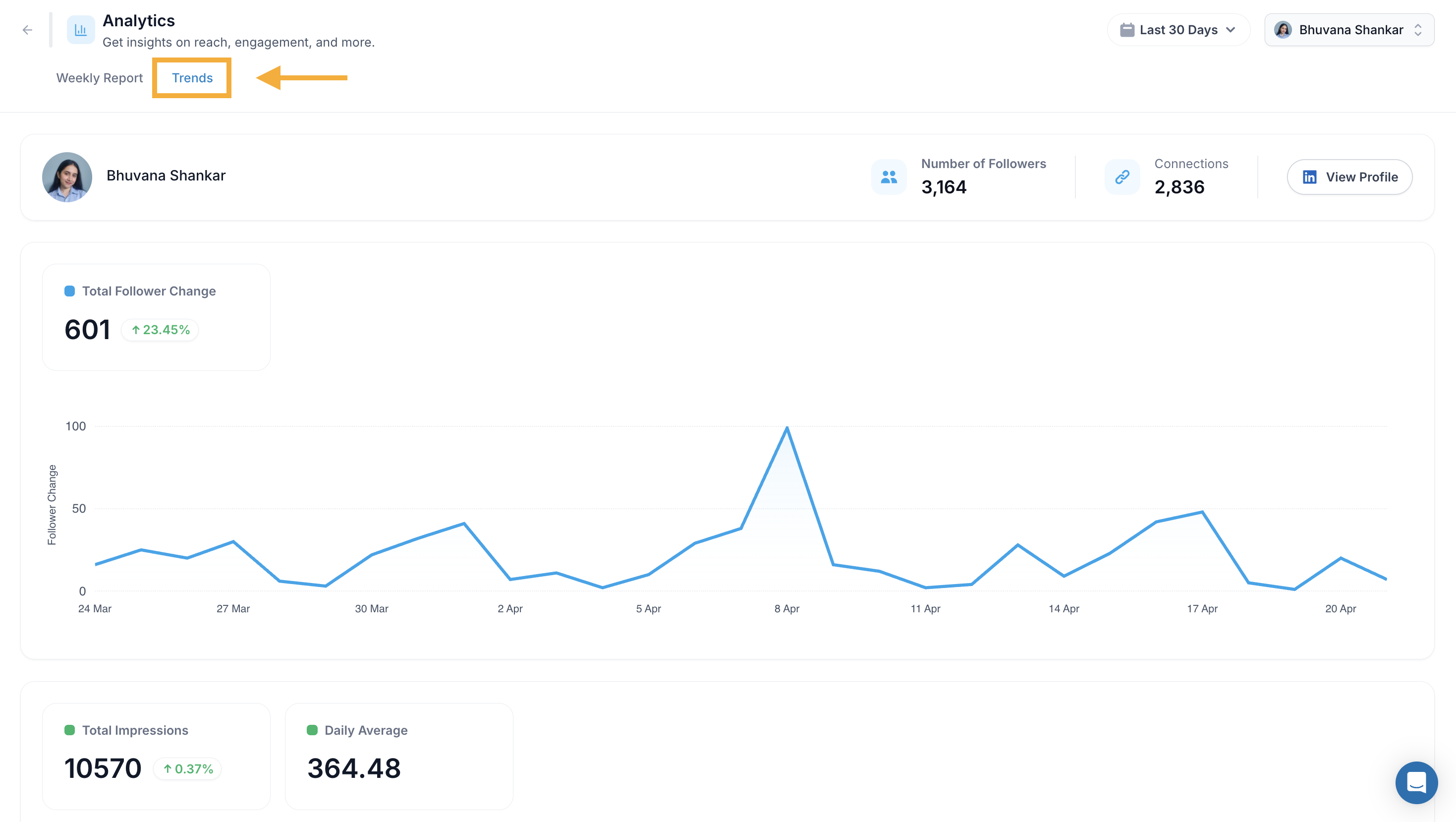
Step 1: Click the Trends tab at the top of the Analytics page.
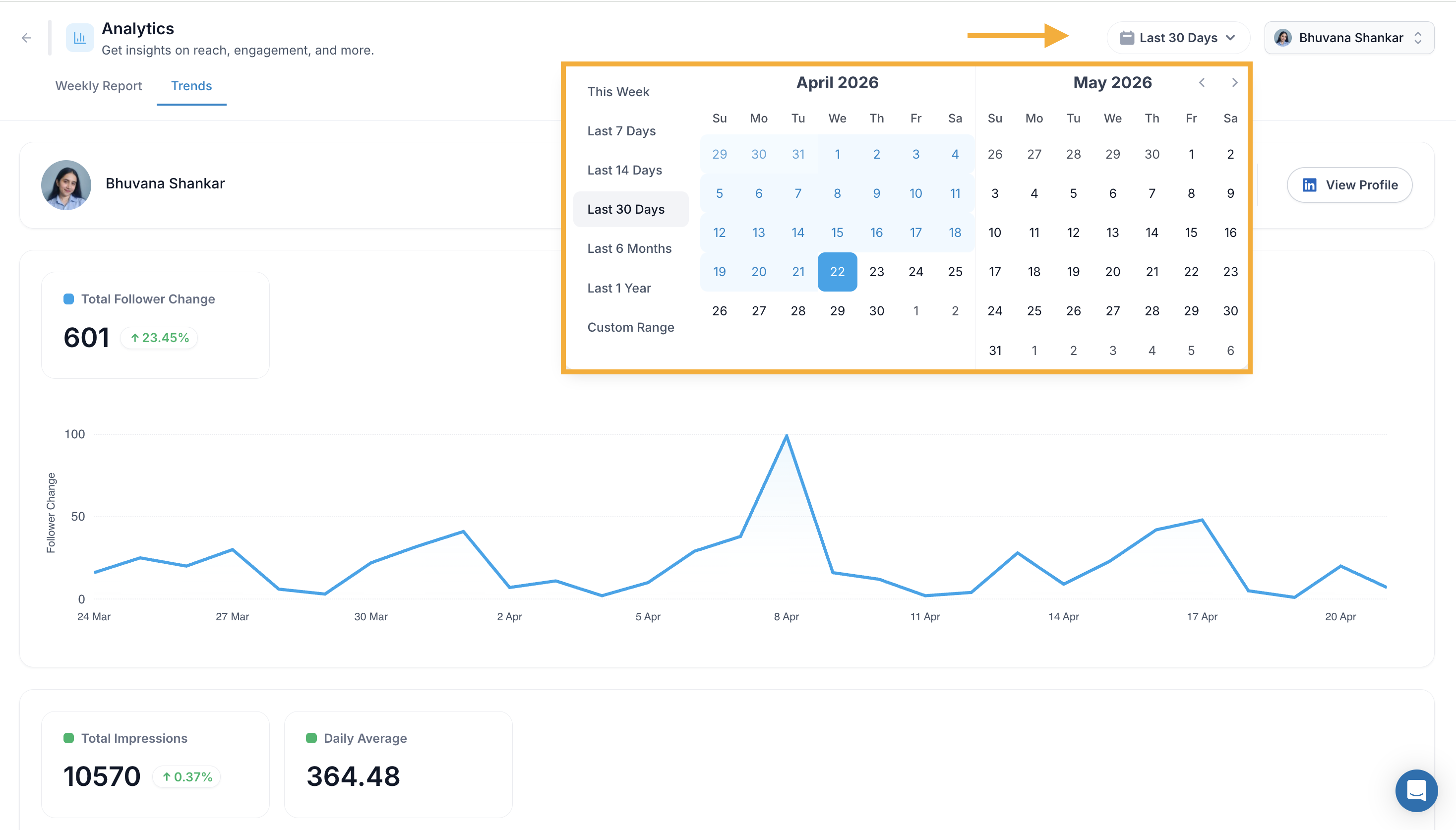
Step 2: Use the date dropdown to filter by:
This Week
Last 7 Days
Last 14 Days
Last 30 Days
Last 6 Months
Last 1 Year
Custom Range
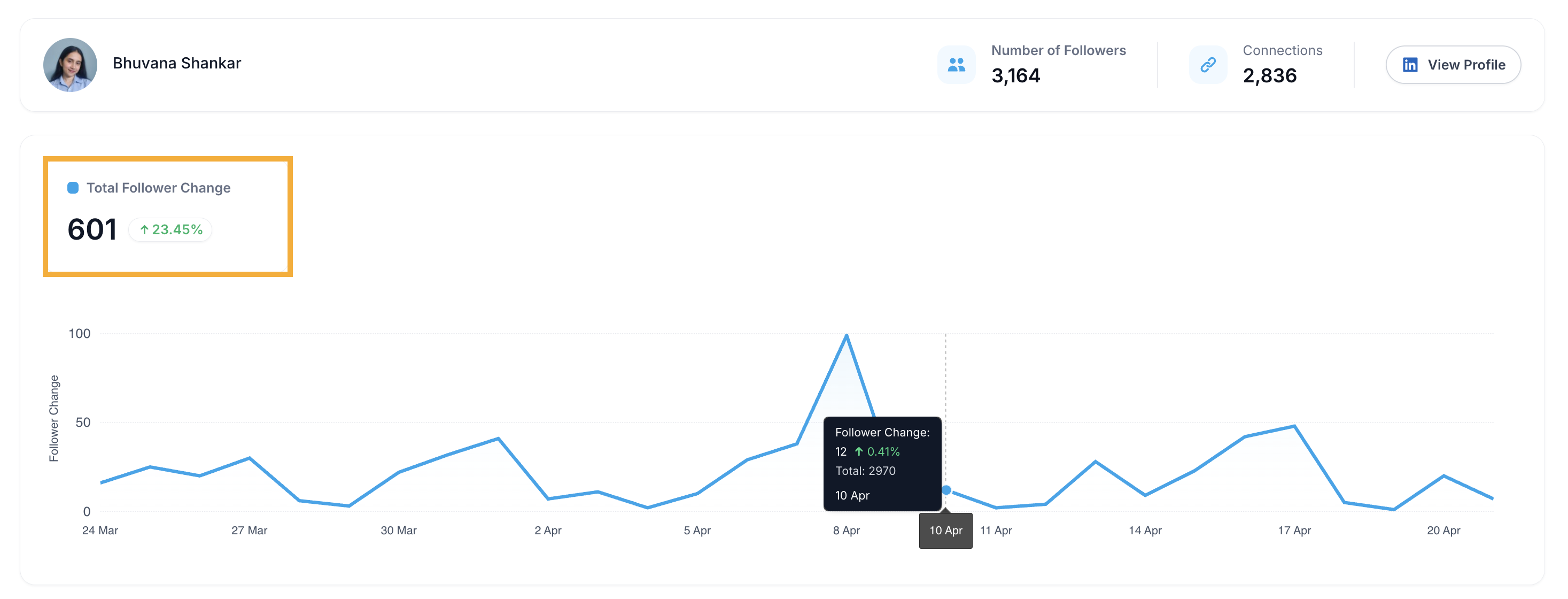
Step 3: The Trends tab shows the following charts and metrics:
Follower Growth
Total Follower Change : Net new followers gained in the selected period with percentage change
A daily chart showing follower growth over time
Hover over any point to see the follower change and total count for that day
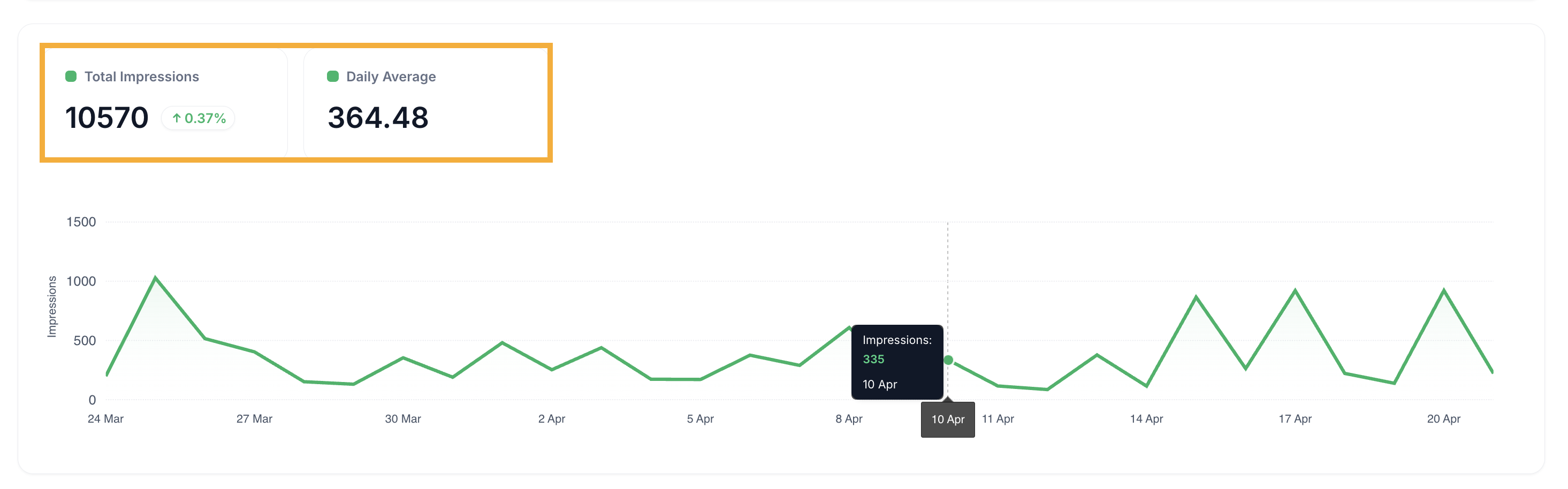
Impressions
Total Impressions : Total impressions in the period with percentage change
Daily Average : Your average impressions per day
A daily impressions chart plotted over time
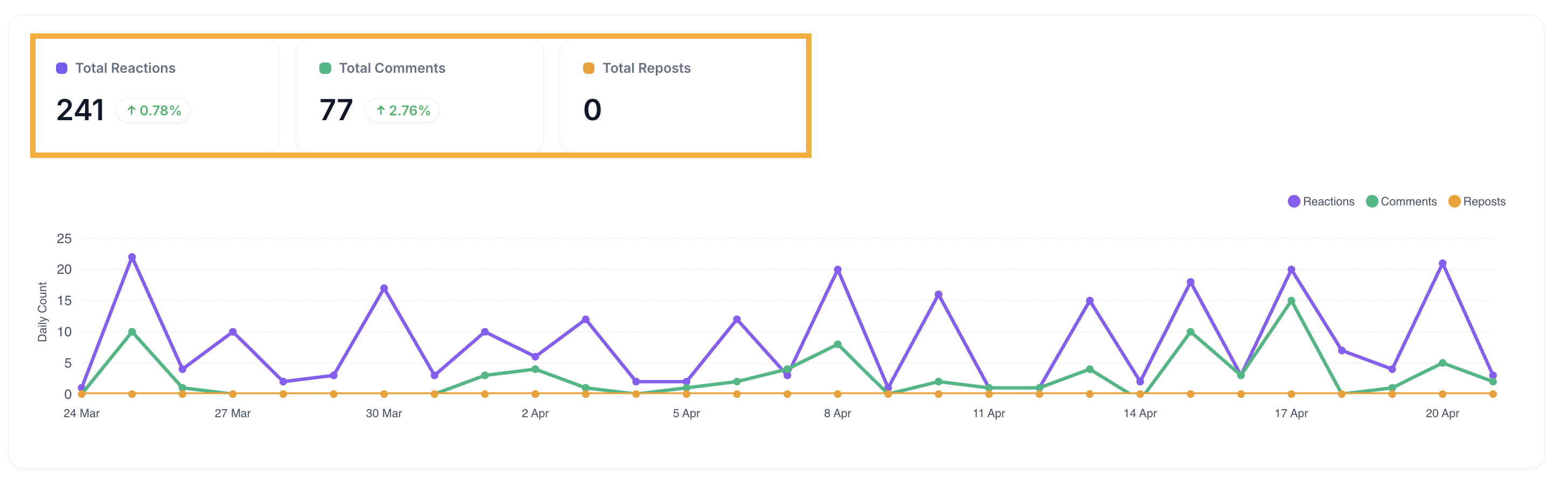
Engagement Breakdown
Total Reactions, Total Comments, and Total Reposts — each with percentage change
A daily chart showing reactions, comments, and reposts plotted together over time
7. View Posts Performance Table
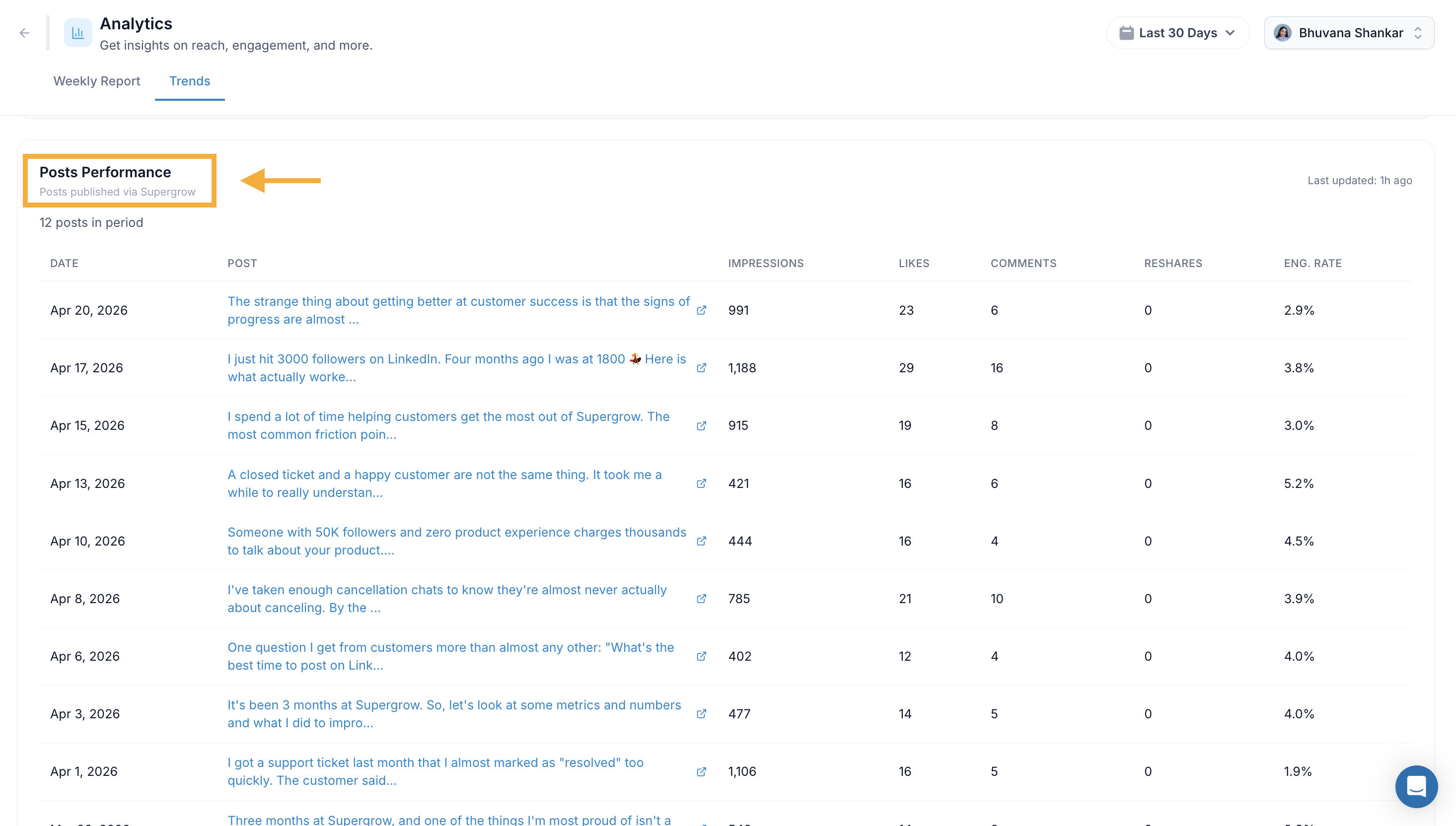
Step 1: Scroll to the bottom of the Trends tab to see the Posts Performance table.
Step 2: The table shows all posts published via Supergrow in the selected period, with:
Date published
Post preview text
Impressions
Likes
Comments
Reshares
Engagement rate
Step 3: Click any post title to open it directly on LinkedIn.
The table shows the last updated time in the top right so you know how fresh the data is.
Key Reminders
Weekly Reports are generated every Sunday and cover the previous Monday to Sunday
The Featured article and suggested angle are personalised based on your Content DNA
The engagement multiplier (e.g. 1.7x) shows how a post performed relative to your own average not a general benchmark
Switch between your personal profile and company pages using the profile dropdown in the top right
The Trends tab is best for spotting longer-term patterns in your follower growth and engagement