

How to Cancel Auto-Renewal or Cancel Your Subscription?
Overview
If you'd like to cancel your subscription or turn off auto-renewal for your Supergrow plan, you can do it directly from your account settings in just a few steps.
Step-by-Step Guide
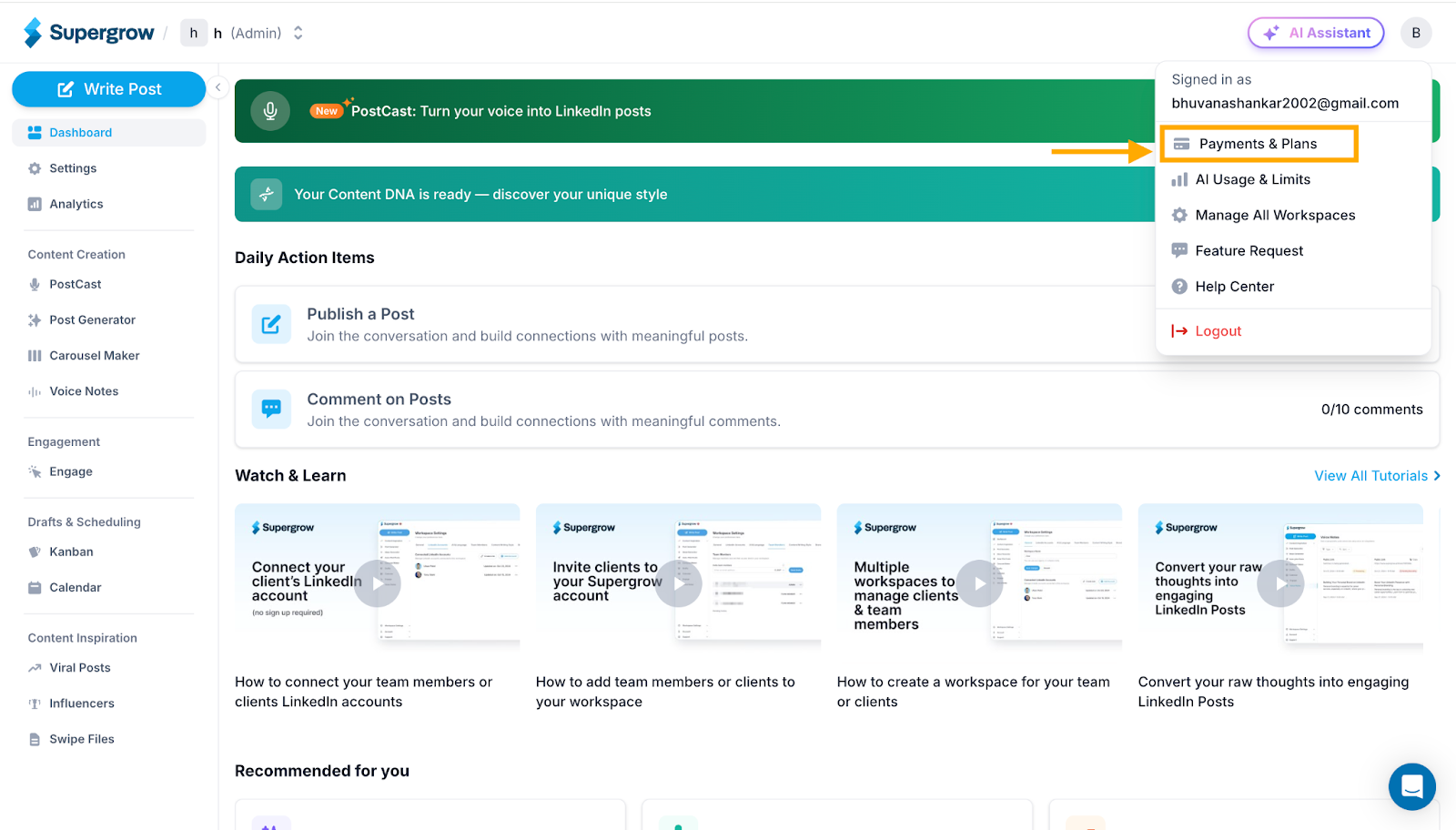
Step 1: Access Payments & Plans
Click on your profile icon in the top right corner
Select Payments & Plans from the dropdown menu
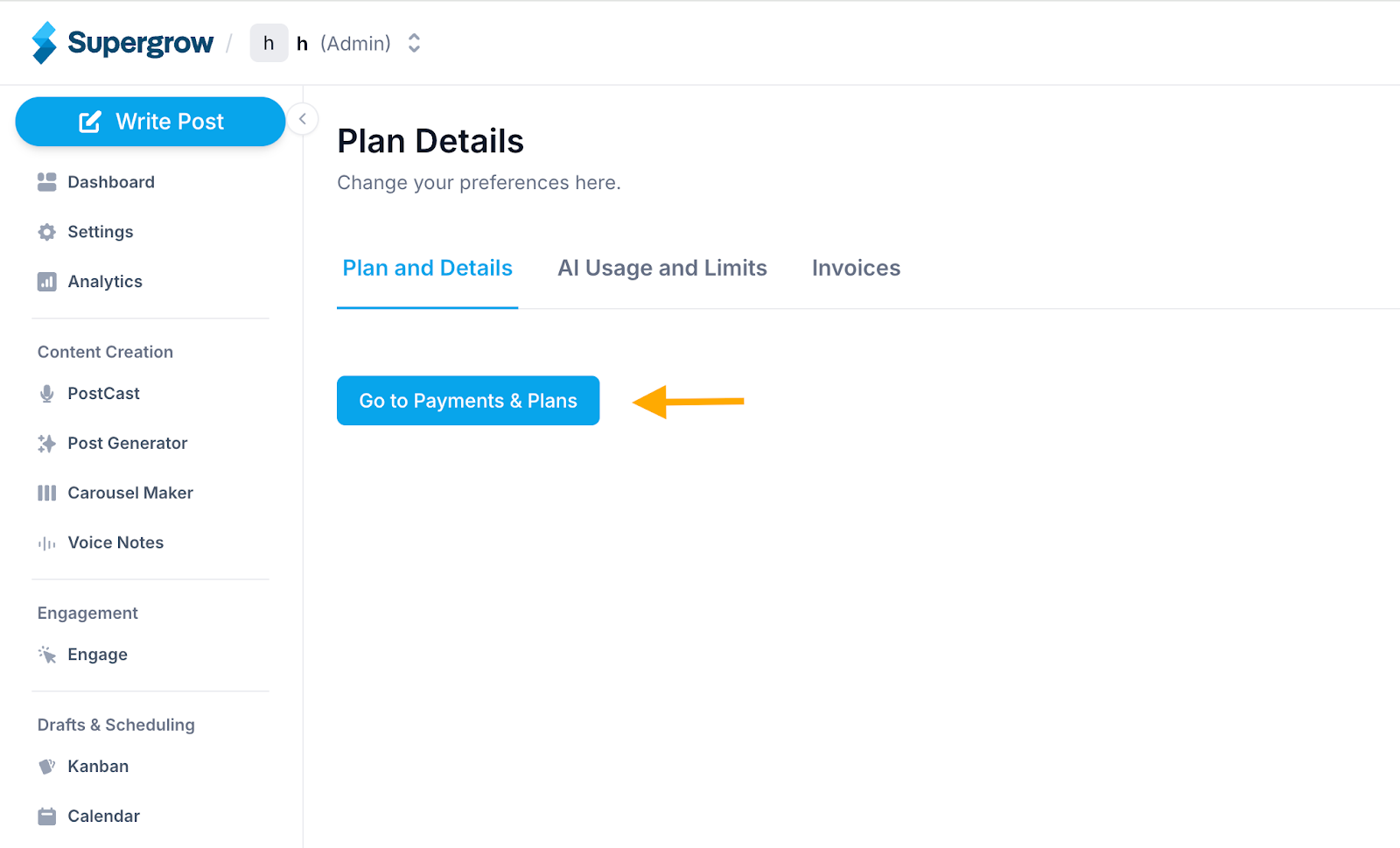
Step 2: Go to Plan Details
You'll land on the Plan Details page
Click the Go to Payments & Plans button
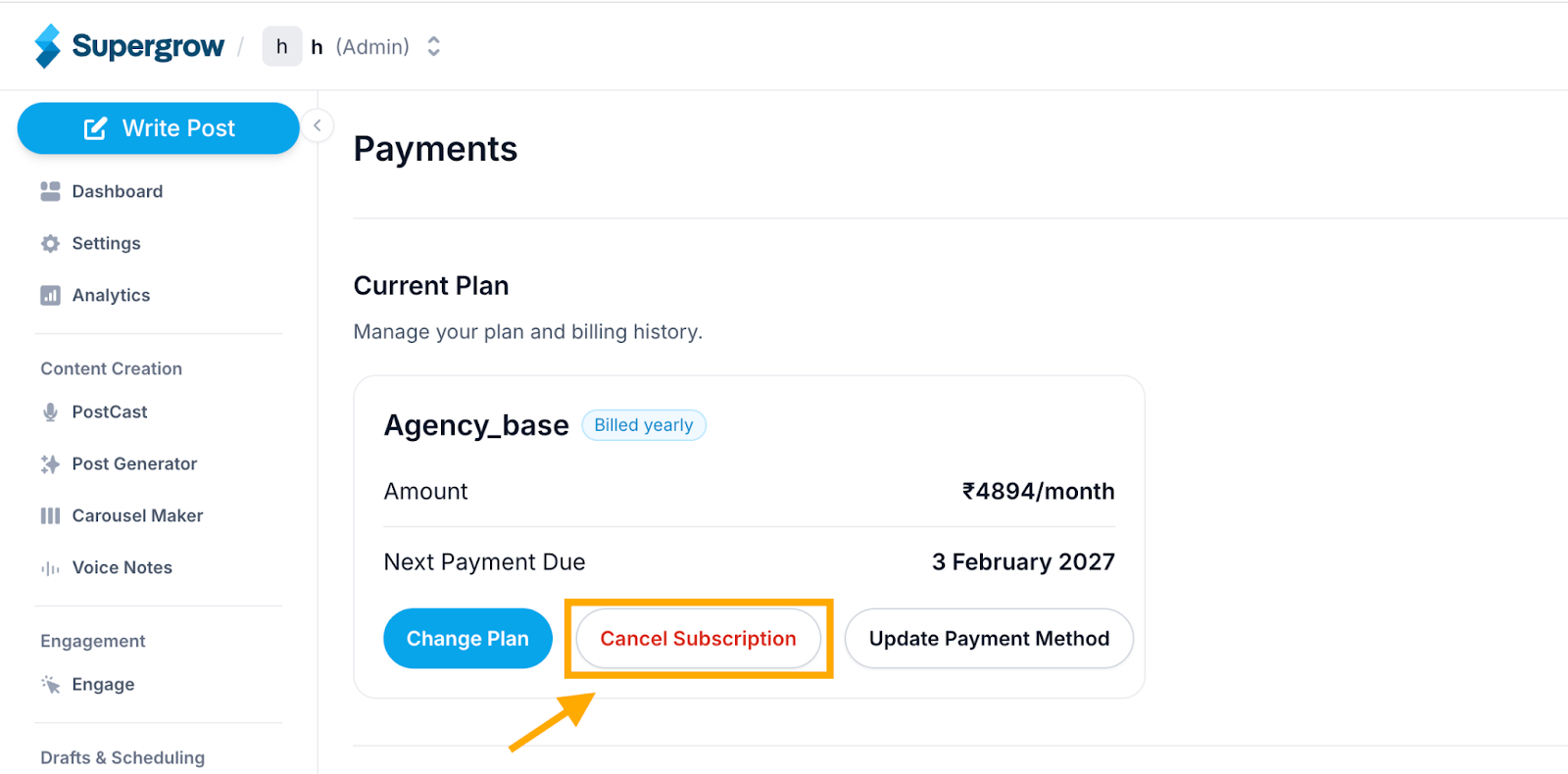
Step 3: Cancel Your Subscription
You'll see your Current Plan details including your plan name, billing amount, and next payment due date
Click the Cancel Subscription button
Follow the on-screen prompts to confirm your cancellation
Important Notes
Your access to Supergrow will continue until the end of your current billing period
You will not be charged again after the cancellation is confirmed
If you'd like to change your plan instead of cancelling, click Change Plan
To update your payment method, click Update Payment Method