

Content Approval Workflow for Team Members
This workflow applies when you are a team member already invited to a workspace in Supergrow.
Step 1: Write the content
Create a new content piece inside the workspace
As you write, the content is automatically saved as a Draft
At this stage:
No one is notified
The content is private and editable
Step 2: Open the kanban board
Navigate to the Kanban board from the left-side menu
You will see your content card under the Draft stage
This board shows where your content stands in the workflow.
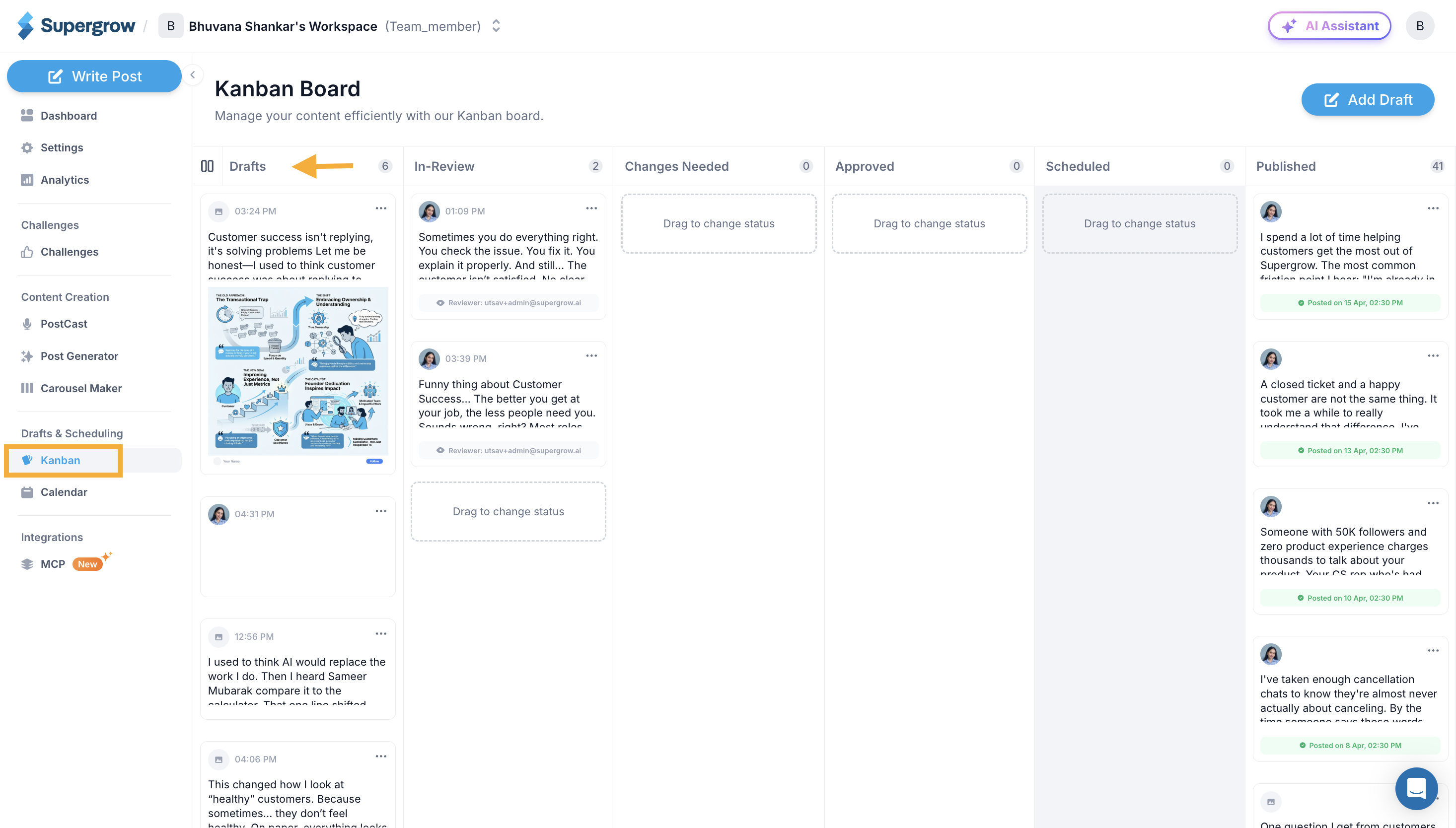
Step 3: Move content to “In Review”
Once the content is ready, move the content card to In Review
This action signals:
The draft is complete
The content is ready for feedback or approval
Step 4: Select a reviewer
Choose a reviewer from the team members invited to the same workspace
This could be:
A manager
A content lead
An Org Owner
Once selected, the review request is sent automatically via email.
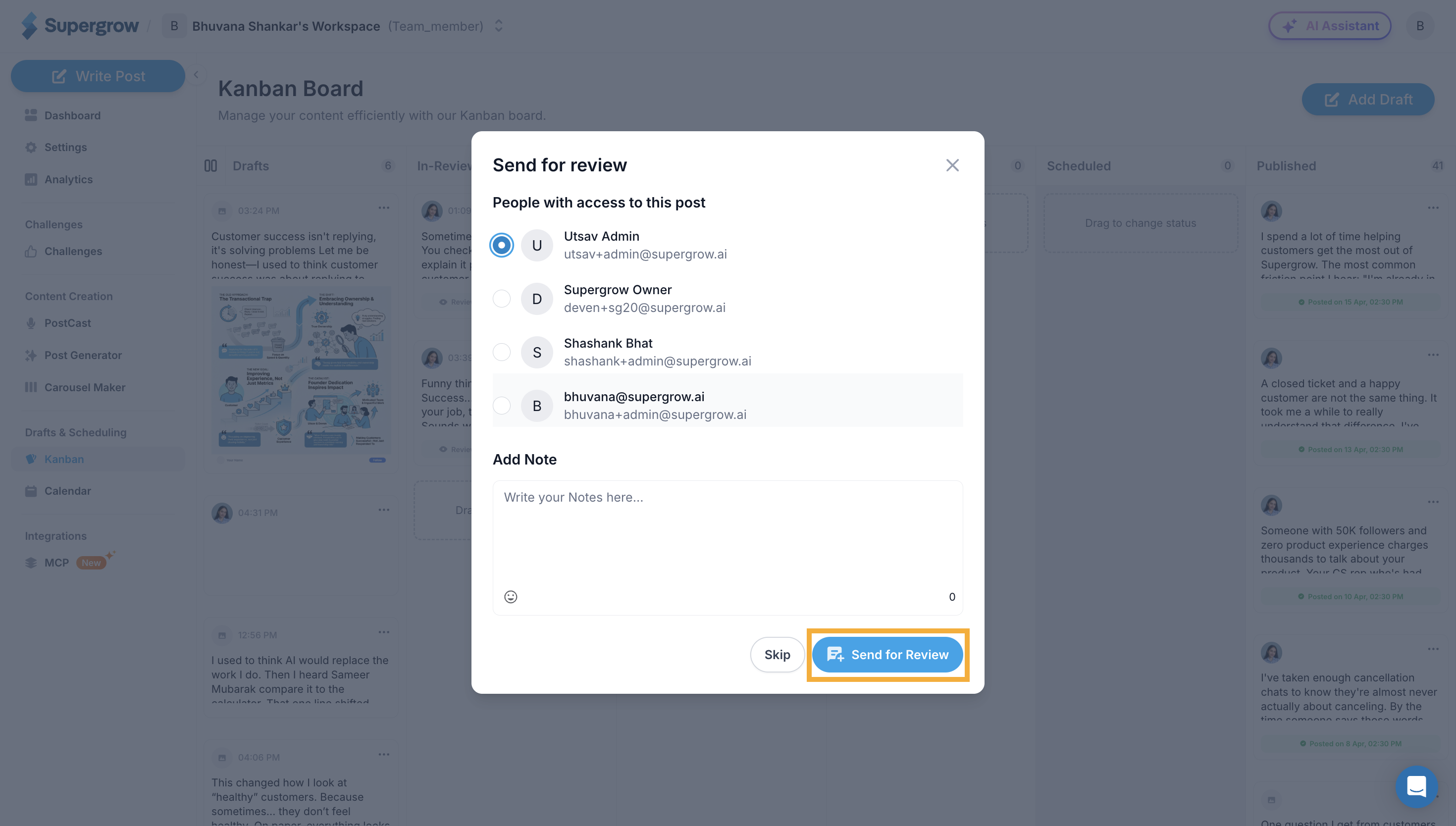
Step 5: Reviewer gets notified
The reviewer receives an email notification
The email includes a direct link to the content
Step 6: Reviewer takes action
The reviewer will either:
Approve the content
Or add feedback and send it back for changes
Step 7: Review feedback or move forward
If feedback is added:
Open the same content card
View all feedback in one place
Make changes and resend for review
If approved:
The content moves forward automatically
No further action is required from you