How to Change My Output Language?

Overview

Supergrow supports content creation in 100+ languages, making it easy to reach global audiences or create content in your native language. Whether you're posting in Spanish, French, Hindi, Japanese, or any other language, setup takes just a few clicks.

Step-by-Step Guide

Step 1: Go to Workspace Settings

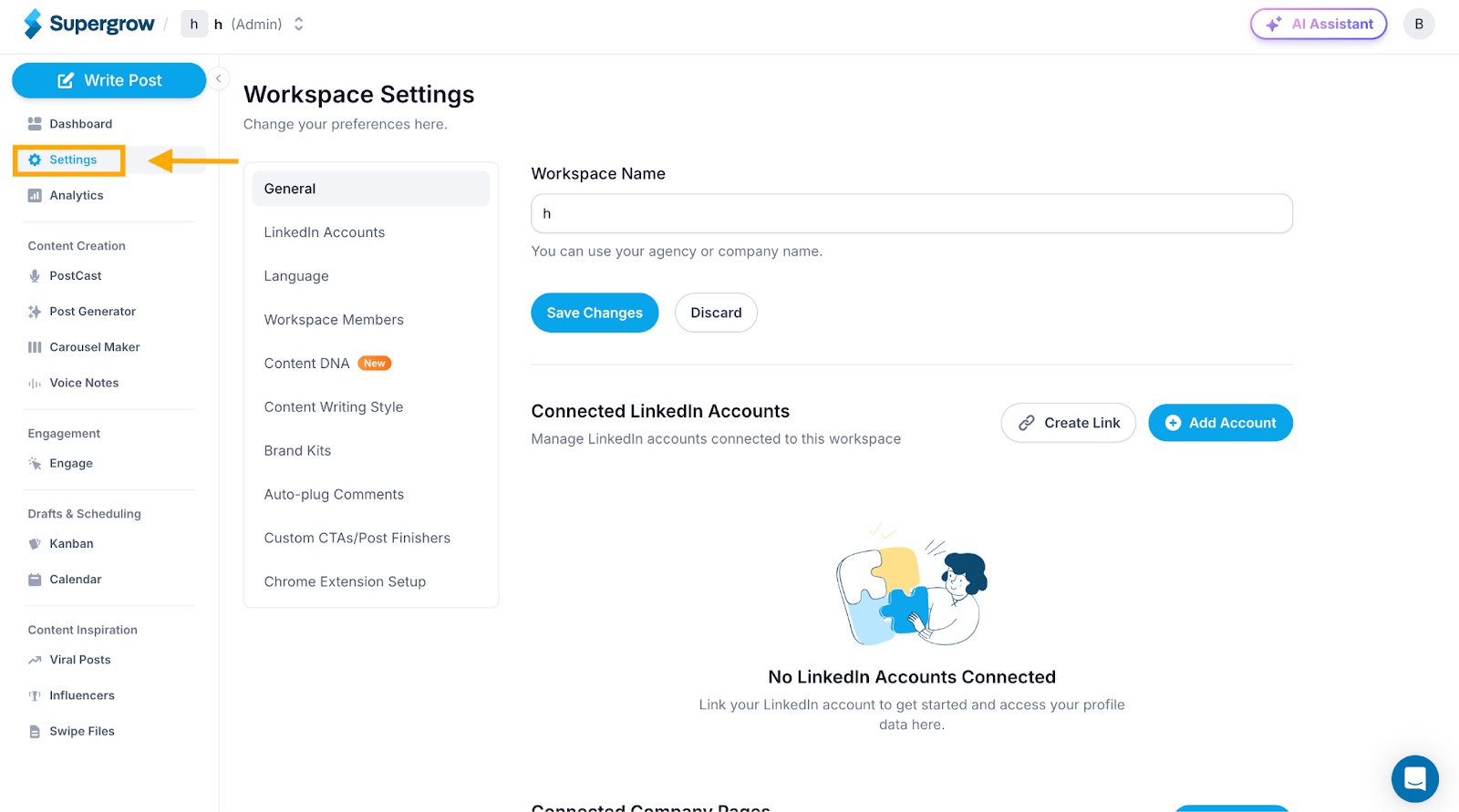
  1. Click Settings in the left sidebar

  2. You'll see the Workspace Settings page
0c4852cb-6110-4e0c-81ef-84b7e7d5e38a?expires=1793013300&signature=12c2c54fc499bbaaa562cae0752b4f725b6765d905b582cbbecaf64bcb07e71d&req=diAgEcB4moJaW%2FMW1HO4zRlWXJ5vPz8j16Ym4DqSb%2Bo22pn4XVdzhObCYi94%0AlbrERLk6FNsb3bo7l50%3D%0A

Step 2: Access Language Settings

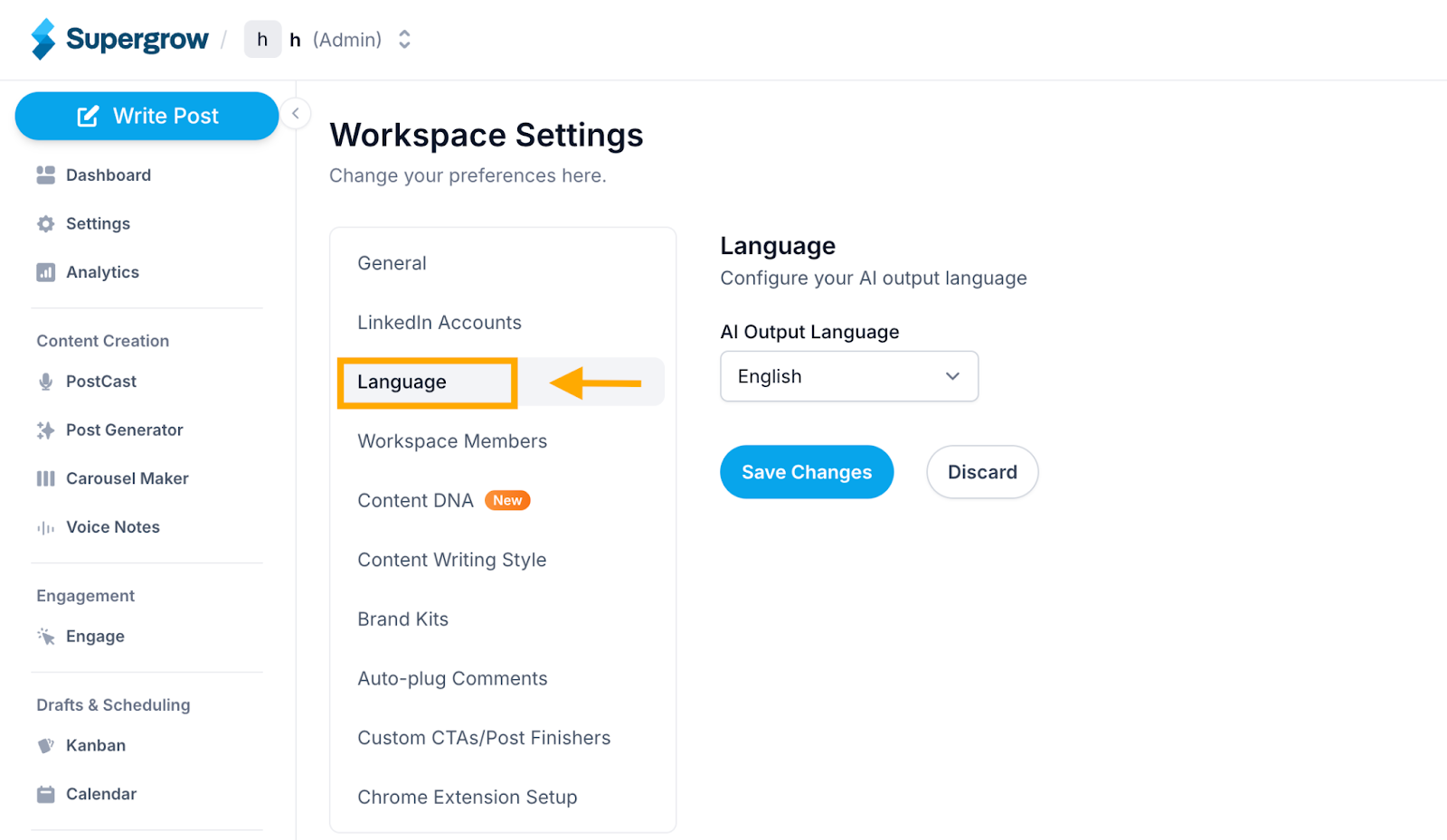
  1. In the left menu, click Language

  2. You'll see the Language configuration page with the AI Output Language dropdown
7c415d10-d908-421b-aa7c-7d9bba902d53?expires=1793013300&signature=982eebfda94ea27bbc2259316133dad96026b25336d4e7392075dcce3dfdcdb6&req=diAgEcB4moJaWPMW1HO4zbhJw4PaZe5ZqITDKrWX0rPsYiD1EJRTSyA5yY6p%0AIUjkTGa8qRAi78Jizdk%3D%0A

Step 3: Select Your Language

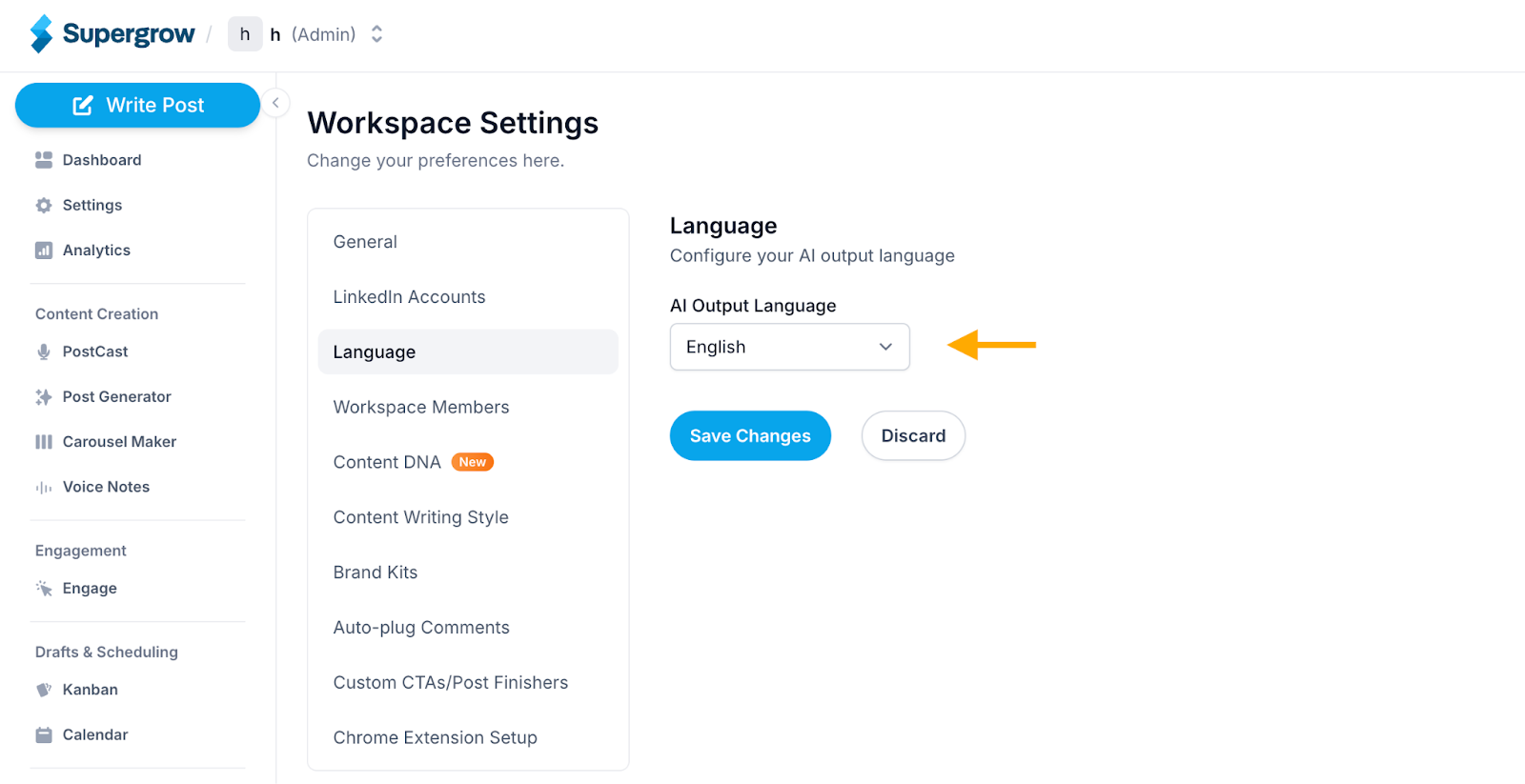
  1. Click on the AI Output Language dropdown

  2. Select your desired language from the list
eb7b48fa-cfe3-4907-b2e1-18ad3b8039b0?expires=1793013300&signature=786eb42c0334341d43a03349628b20549b5664f117e7ee653838e3cd745bafab&req=diAgEcB4moJaUPMW1HO4zSSl%2BEUoT%2Ftw4ozRzuzT8RChPee4Qolnex1E0l1B%0AcfPJbibP92MNfReFbXI%3D%0A

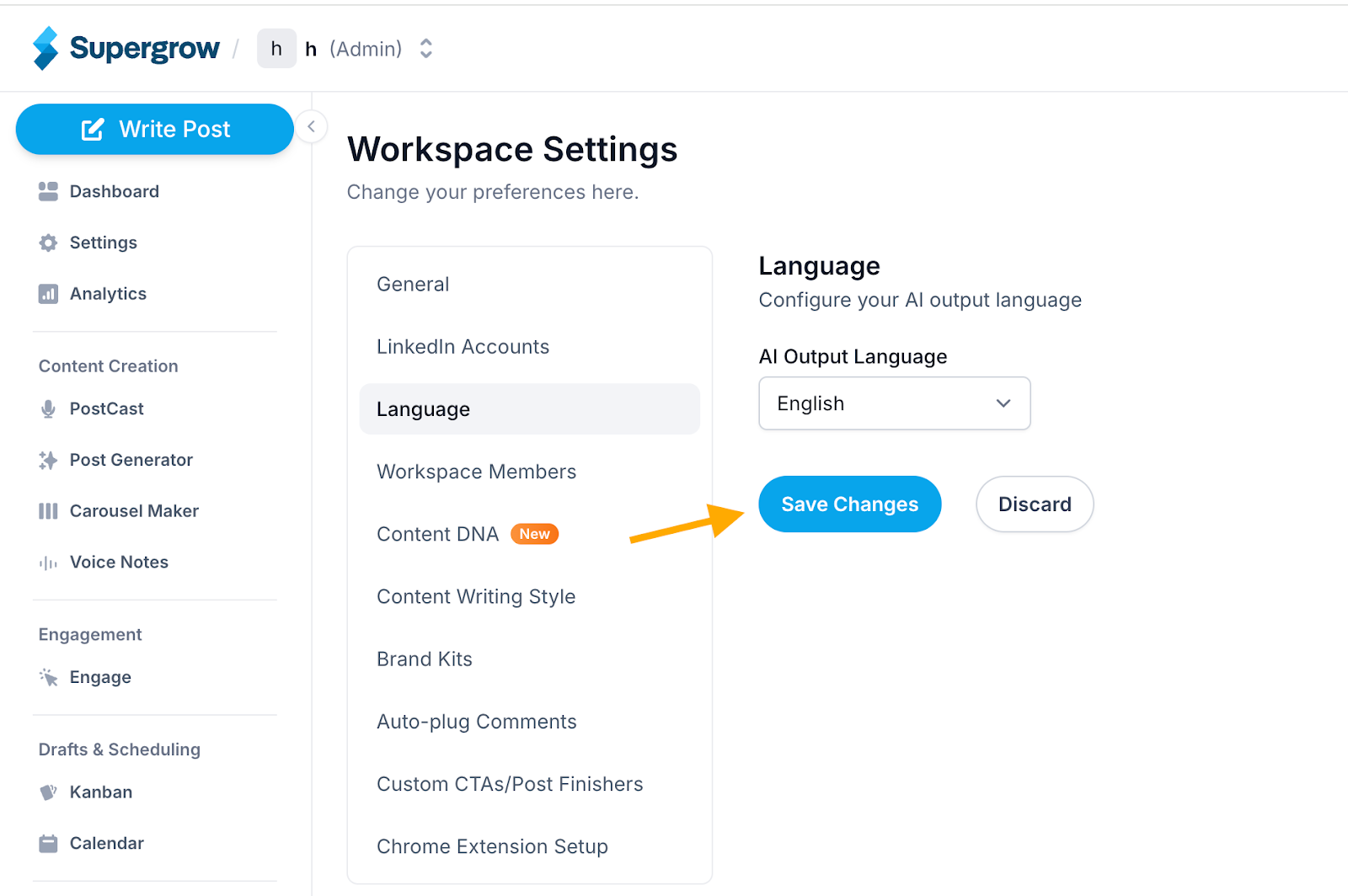
Step 4: Save Your Changes

  1. Click Save Changes

  2. Your language preference is now set

24979ce9-e4d2-4902-a851-50d7a77e6cab?expires=1793013300&signature=27202c14b77f4892c22e244cce749b9ca9e0e5e3e3e57e89db58ca9fcd929514&req=diAgEcB4moJaWvMW1HO4zdOK2INFRE%2FkrUiYWIx%2F0cJLx06NFG%2BdbLl8LBe%2F%0AQTB56BoCn3BzfOo2kYs%3D%0A

Success! All AI-generated content will now be created in your selected language.

Was this helpful?